
Attribution & Tracking
How to Tag Your Google Ads to Track in PayHelm
Master URL parameters and UTM tracking for Google Ads to get precise attribution data in PayHelm. Learn the recommended tags and step-by-step setup process.
Read article
Broken pixels, missing funnel events, and hardcoded tracking scripts cost ecommerce brands thousands in wasted ad spend every month. PayHelm's free GTM Audit Tool lets agencies surface every tracking gap — and walk into every client meeting with a concrete fix list.
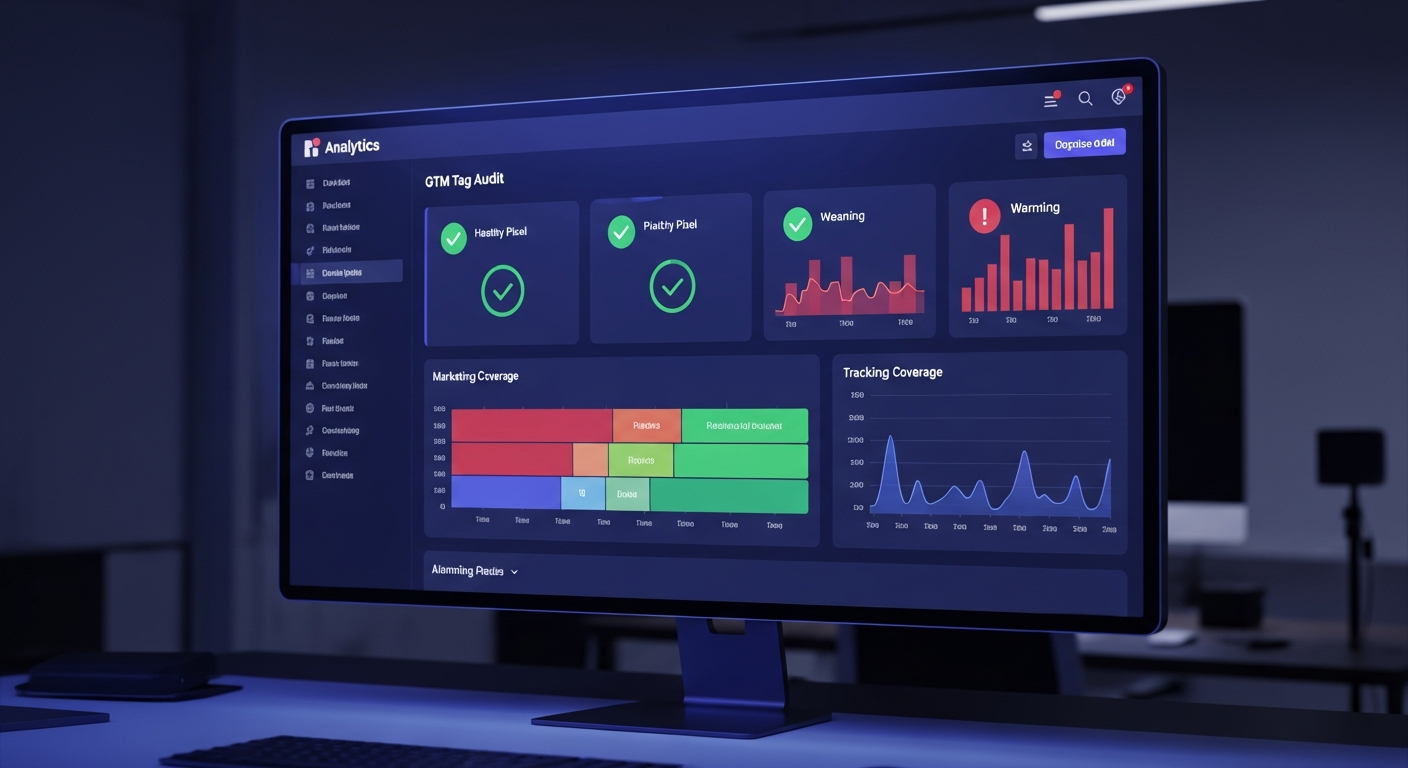
Every agency has been there: a client complains their ads aren't performing, you pull the data, and you immediately spot the problem — their purchase event never fires. Their Meta Pixel hasn't tracked a conversion in three weeks. Their Google Ads remarketing audience is empty because the GTM container is missing from two-thirds of their pages.
The painful part isn't fixing it. It's that nobody caught it sooner — and in the meantime, thousands in ad spend went to audiences built on broken data.
PayHelm's free GTM Audit Tool exists specifically to catch these problems before they become expensive. Paste a URL, and within 60 seconds you get a full technical readout of every tracking pixel, marketing funnel gap, and misconfigured tag on that site — no login required, no code access needed.
Tracking failures are invisible until they're catastrophic. A broken checkout event doesn't throw an error in the browser console. A pixel that fires twice doesn't alert anyone. A GTM container installed in only the <body> but missing from the <head> still passes a basic eye test. These are the problems that quietly destroy campaign performance:
add_to_cart fires but begin_checkout doesn't — which means smart bidding has no signal to optimize toward checkout intentview_cart event means retargeting audiences can't distinguish browsers from serious buyersAgencies inherit all of these problems when they take on new clients — and without a systematic audit, it can take weeks of back-and-forth to just identify what's broken.
The PayHelm GTM Audit Tool runs two layers of analysis simultaneously. First, it fetches the raw HTML of the URL you provide and inspects the static page source. Then it loads the page in a real headless browser session, captures every network request and dataLayer push, and cross-references what actually fires at runtime.
This dual-layer approach catches problems that static checkers miss entirely — like tags that appear correctly configured in GTM but silently fail to fire due to trigger conditions, or consent management platforms that block tags before they load.
The audit verifies that the GTM container ID is present, that the snippet is correctly placed in the <head> (not just the body), that the noscript fallback iframe exists, and that dataLayer is initialized before the GTM snippet loads. All four are required for reliable data collection — and most sites fail at least one.
The tool identifies every tracking pixel and analytics tag firing on the page, whether managed through GTM or hardcoded directly in the HTML. Platforms detected include:
For each tag, the audit flags whether it's managed through GTM (good) or hardcoded directly in the page HTML (a risk for duplication and version drift).
One of the most common and costly mistakes is leaving tracking pixels hardcoded in site HTML instead of managing them through GTM. This creates a maintenance nightmare: every pixel update requires a developer deploy, version control becomes impossible, and duplicate fires are almost guaranteed when the tag later gets added to GTM too.
The audit specifically calls out any hardcoded instances of the Meta Pixel, GA4 direct installation, Google Ads conversion scripts, TikTok, LinkedIn, Pinterest, Reddit, Klaviyo, HubSpot, and others — with a clear recommendation to migrate each one into GTM for proper lifecycle management.
For ecommerce clients, this is the most important part of any GTM audit. The audit tool checks whether the full GA4 ecommerce funnel is instrumented end-to-end, mapping network requests and dataLayer events against the complete buyer journey:
Cart abandonment is one of the highest-ROI campaign types in ecommerce — average cart abandonment rates hover around 70%. But the entire channel depends on accurate add_to_cart and view_cart events. When these are missing or misfiring, agencies are flying blind on their most valuable retargeting audience.
Each missing event gets a priority rating: critical (immediately impacts ad performance and ROAS measurement), high (significant insight gaps), or medium (optimization opportunities). The overall health score — pass, warn, or fail — reflects the most severe gap found.
Before touching a single campaign, run the GTM audit on every URL in the client's funnel — homepage, collection pages, product pages, cart, checkout, and the order confirmation page. The confirmation page in particular must fire the purchase event; if it doesn't, you'll spend months optimizing campaigns with zero conversion signal. The audit result becomes the first deliverable in the client relationship: a clear, prioritized fix list that needs to happen before any meaningful optimization can occur.
Site updates, platform migrations, and theme changes silently break GTM implementations all the time. A checkout redesign can break begin_checkout. A new app install can inject a duplicate pixel. Running the audit monthly across client sites takes minutes and catches regressions before they corrupt weeks of campaign data.
The AI-generated plain-English summary included with every audit is presentation-ready. Instead of dumping a technical error log in front of a CMO, you get a business-impact explanation of each gap — "Your cart abandonment campaigns are targeting people who never actually added anything to their cart because the add_to_cart event isn't firing" — that's immediately actionable and easy to prioritize in a client meeting.
Before launching a new Shopify store, BigCommerce migration, or custom ecommerce build, run the audit against staging and production URLs to verify the full funnel is instrumented correctly. This is especially valuable when the development team handed off a GTM implementation that was "set up by a developer" — the audit tells you immediately whether it's actually working.
Every GTM audit result gives you a prioritized issue list. The standard playbook:
<head> placement, noscript fallback, and a consistent container ID across the site.view_item, add_to_cart, begin_checkout, and purchase are non-negotiable for any ecommerce site running paid traffic. Fix these before anything else.view_item_list, view_cart, add_shipping_info, add_payment_info, and refund to give smart bidding the full signal set.The PayHelm GTM Audit Tool is completely free, requires no account or login, and produces results in under 60 seconds for most sites. Paste any URL and get a full breakdown of GTM health, pixel detection, funnel coverage, and prioritized fix recommendations — including an AI-generated executive summary ready to share directly with a client.
For agencies managing multiple clients across Shopify, BigCommerce, WooCommerce, and other platforms, systematic tracking audits are the fastest path to credible, defensible campaign results. Audit the foundation first, fix what's broken, then optimize.
Connect these platforms with PayHelm to get unified analytics and insights
PayHelm for BigCommerce creates customer insights, sales analysis, and product performance data for informed decisions and improved ROI
Integrate Shopify with PayHelm to deliver real-time customer insights, sales analysis, and store performance data for better business decisions and ROI
Add WooCommerce to yield real-time customer insights, sales analysis, and SKU performance data for smarter business decisions and grow your business

Analyze your search paid advertising performance

Connect your store data with your Klaviyo email campaigns

Import & sync your customers to Mailchimp
Continue building your tracking and attribution knowledge
Let an AI agent handle these tasks for you — automatically, on a schedule.
Your site search is telling you what to sell and what to fix — are you listening?
Catch budget anomalies the same day they start — not when your monthly statement arrives.
Identify your highest-value customers every week and make sure they get VIP treatment.