What Should a Daily Fulfillment Summary Include?
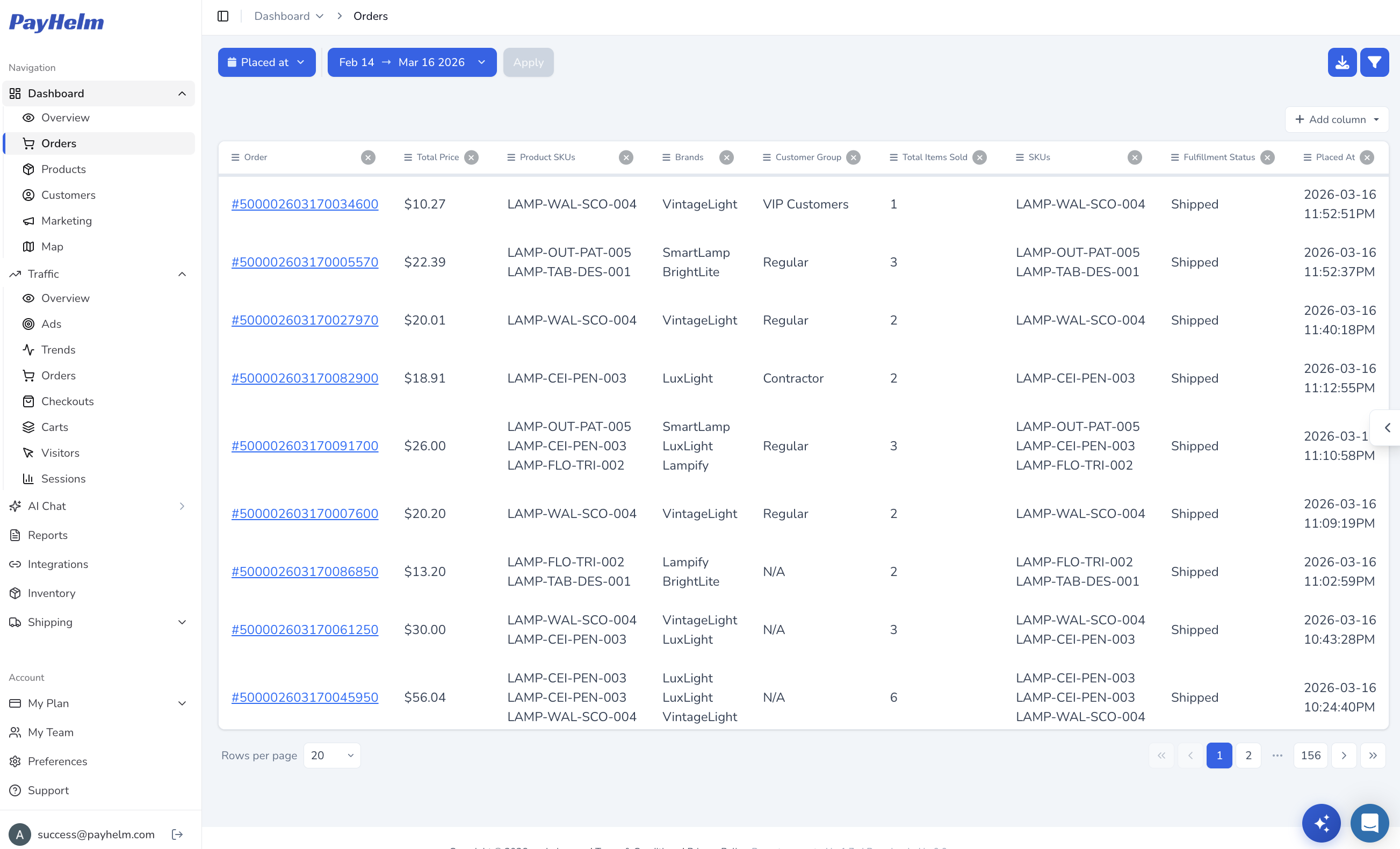
A useful summary covers orders received, fulfilled, unfulfilled, fulfillment rate, and average time to fulfillment. It should call out aging orders, cancellations, and backlog—changes that need action, not another list of numbers.
The useful distinction is between descriptive numbers and decision-ready context. A team should be able to see whether performance is within the normal range, which exceptions are growing, and whether the cause is likely inventory, staffing, carrier capacity, or an order-processing issue.
Start by defining the decision this section needs to support. Record the metric definitions, comparison window, and owner before drawing a conclusion. That small amount of discipline makes the analysis easier to repeat and easier for another teammate to trust. It also gives the team a clear standard for deciding whether the next review shows improvement.
How AI Turns Order and Fulfillment Data Into an Operational Summary
AI can compare order, fulfillment, inventory, and historical data together. Instead of making an operator interpret several dashboards, it explains how today compares with recent averages in plain language.
That explanation is most valuable when every conclusion remains traceable to the underlying orders. The summary can show the comparison period, the affected segment, and the size of the change so an operator can validate the recommendation before acting.
The comparison becomes more useful when the underlying data is complete and consistently labeled. Check for missing records, delayed updates, and changes in platform definitions before treating movement as a business signal. When the inputs are clear, an operator can explain the result without rebuilding the analysis manually. This check is especially important when several connected platforms refresh on different schedules.
How AI Identifies Delays, Backlogs, and Fulfillment Exceptions
By looking at order age, normal processing time, product, channel, and location, AI can find delays worth investigating and distinguish an isolated exception from a backlog spreading across the business.
For example, a few late orders concentrated in one warehouse call for a different response than a rise in unfulfilled orders across every channel. Looking at the shape of the exception helps teams spend time on the constraint that can actually be changed.
Break the result into the dimensions that can change the outcome, such as product, channel, location, customer group, or time period. A concentrated pattern usually points to a more actionable cause than a broad average. Keep the original total visible so the team can connect the detail back to business impact. The resulting view helps the right owner act without losing the context of the overall business.
How to Use AI-Generated Fulfillment Summaries to Prioritize Action
The best summary ranks issues by urgency and impact: checking inventory for a delayed SKU, escalating a warehouse problem, or contacting customers before a late shipment becomes a service issue.
Priorities should include an owner and a next step whenever possible. That turns a briefing into a lightweight operating rhythm: investigate the largest risk, make the change, and check the next summary to see whether the metric moved.
Interpret the finding as evidence to investigate, not as proof of a single cause. Compare it with a relevant control period and ask what changed in the workflow around the same time. This approach reduces false alarms while preserving the urgency of issues that affect customers or cash flow. It also makes the eventual recommendation easier to explain to stakeholders.
Automating Daily Fulfillment Reporting Across Multiple Sales Channels
Combining stores and marketplaces into one report reveals whether a problem affects one channel or the whole operation. A scheduled summary removes repetitive spreadsheet work.
Consistent definitions matter when channels use different statuses or fulfillment workflows. Normalize those states before comparing them, and keep the source channel visible so a team can move from the combined view to the exact order or marketplace that needs attention.
Turn the insight into a small next step with a named owner and a date for review. The team can test a process change, adjust a planning assumption, or request better source data. Measuring the same section again shows whether the action solved the problem or only moved it elsewhere. A short feedback loop is more useful than a one-time report that is never revisited.
Automating Daily Fulfillment Analysis With PayHelm
PayHelm analyzes connected order and fulfillment data. Ask, “How many orders remain unfulfilled, is fulfillment slower than usual, and which products drive the backlog?” The list tells the operator where to look first. For a broader view of the metrics behind the summary, see PayHelm’s ecommerce analytics.
The workflow can be repeated each morning or triggered when a backlog crosses a threshold. Because the answer is grounded in connected data, the team can follow up with questions about a specific SKU, channel, location, or time period instead of rebuilding a report.
PayHelm is most useful when the question moves from a headline to a decision. Start with the broad result, ask a focused follow-up, and verify the supporting records before acting. That workflow keeps AI-generated analysis practical, transparent, and aligned with the operating team’s judgment. It gives the team a repeatable path from an observation to a responsible operational decision.