Your ecommerce data
inside ChatGPT.
Ask ChatGPT's most capable models about your real business data. Revenue, margins, ROAS, forecasts — PayHelm fetches live numbers from all your platforms as you chat.
Build a custom dashboard
in one prompt.
OpenAI Codex plugs into the PayHelm REST API. Describe the dashboard you need — ad spend vs ROAS, revenue by channel, top products by margin — and Codex writes the full implementation. One prompt, working code.
What you can ask
What PayHelm brings to ChatGPT
ChatGPT's frontier models are already brilliant. Add your live ecommerce data and they become your personal business analyst.
Natural Language Analytics
Ask about revenue, margins, ROAS, or inventory in plain English. PayHelm translates your question into precise data queries across all connected platforms.
Revenue Forecasting
Generate 30, 60, or 90-day forecasts based on your actual growth trajectory, seasonality patterns, and ad spend scenarios.
Campaign Optimization
Identify underperforming campaigns, get specific reallocation recommendations, and generate campaign adjustments ready to apply in one click.
Automated Reports
Ask for any report — weekly P&L, channel performance, cohort analysis, or custom metrics — and get a formatted, ready-to-share document in seconds.
Strategic Insights
Beyond raw numbers — PayHelm explains what's driving trends, surfaces anomalies, and recommends the highest-leverage actions for your business.
Cross-Platform Context
Unlike native AI tools, PayHelm brings Shopify, Amazon, Meta, Google Ads, and 45+ platforms into a single conversation. No switching tabs.
How to connect PayHelm
Three steps and your AI analyst is ready.
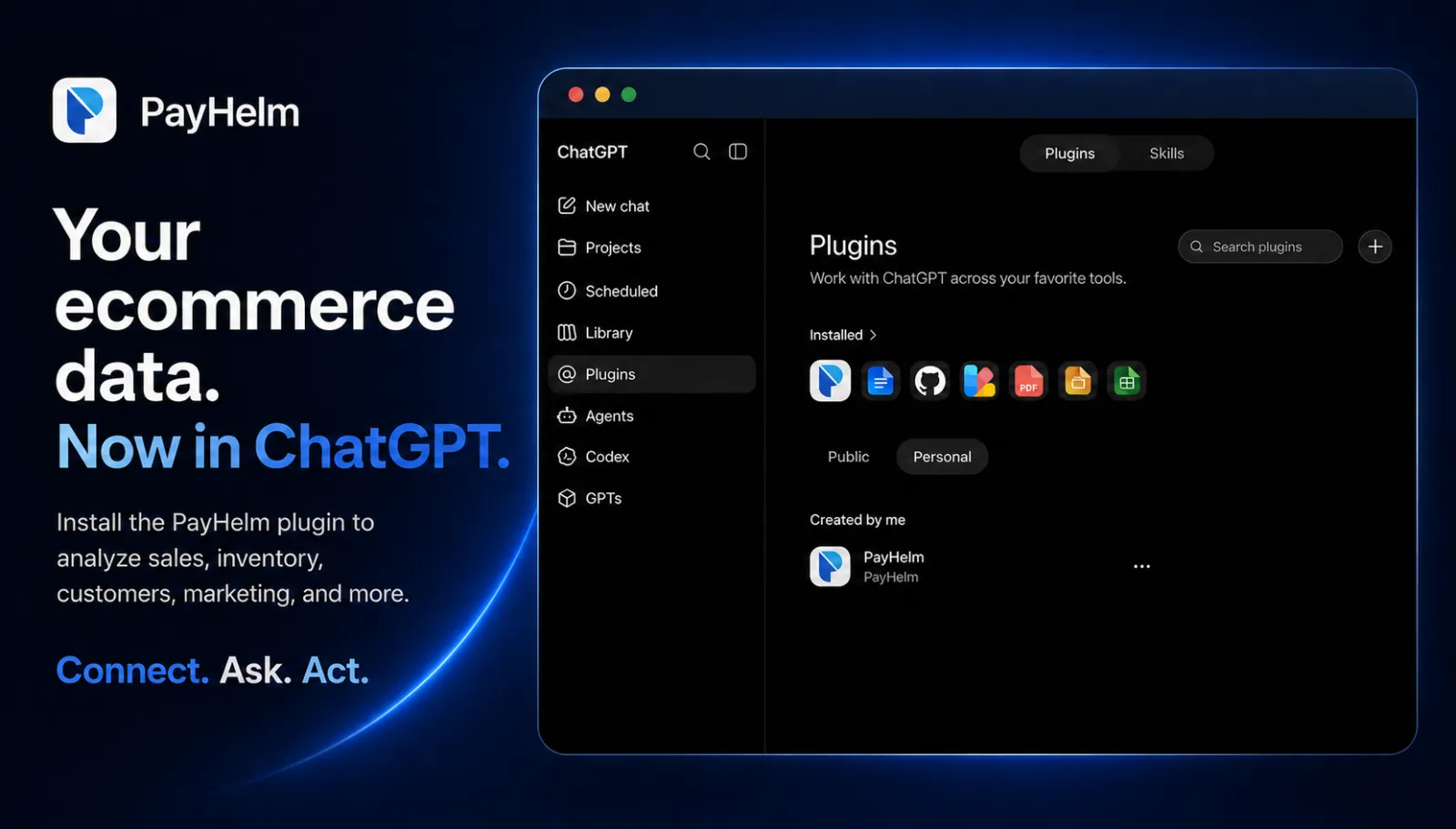
Open ChatGPT Plugins
In ChatGPT, go to the left sidebar and click "Plugins". Switch to the "Personal" tab, then click the + button to add a new plugin.
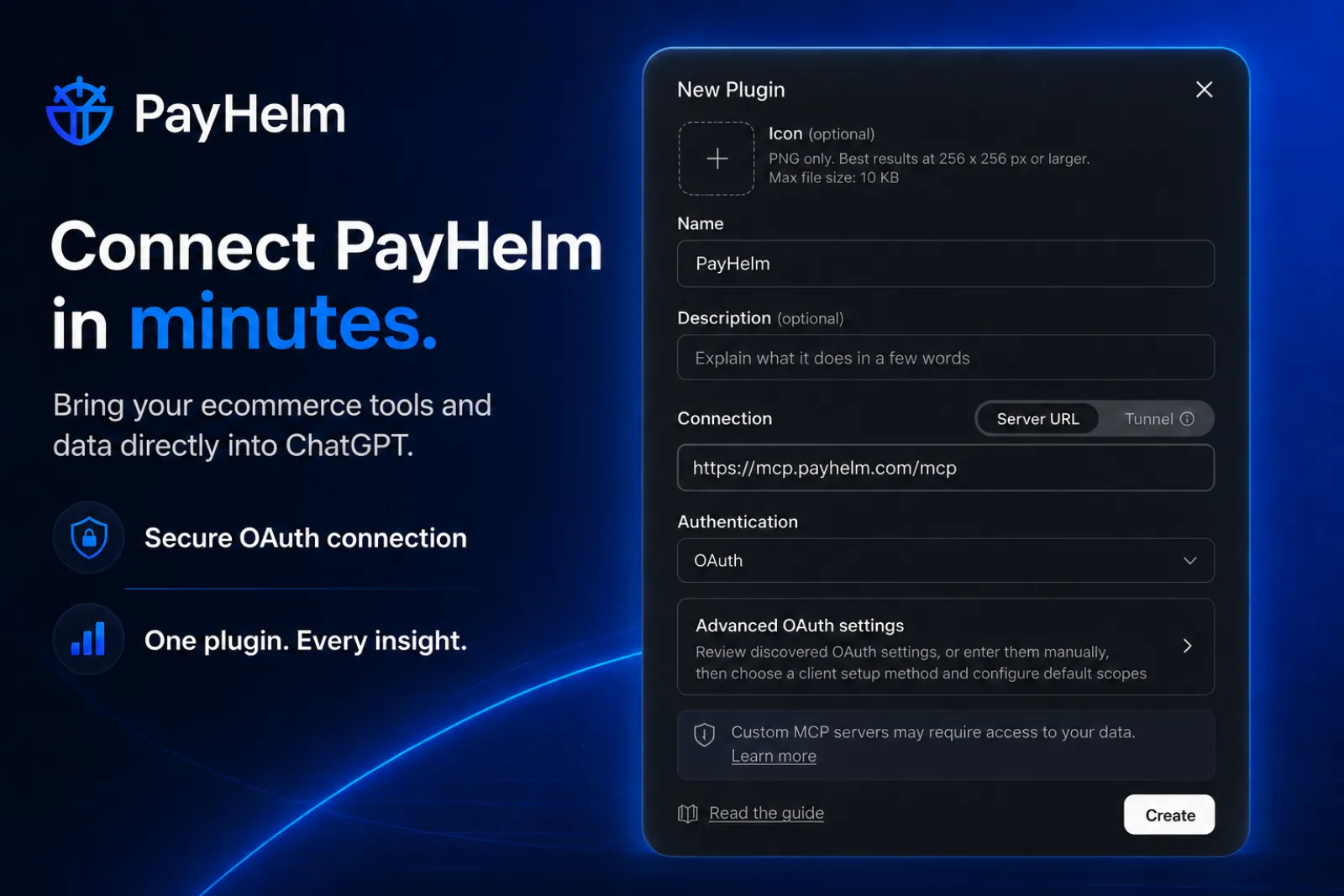
Enter the PayHelm MCP URL
In the "New Plugin" dialog, paste the Server URL: https://mcp.payhelm.com/mcp — set Authentication to OAuth, then click Create. PayHelm will guide you through the OAuth flow to connect your account.
Ask anything about your business
That's it. Open a new chat, enable the PayHelm plugin, and ask ChatGPT anything — revenue, margins, ROAS, forecasts. Live data from all your platforms flows in as you type.
Pulls data from your connected platforms
Get early access.
The PayHelm ChatGPT plugin is in review. Join the list and we'll let you know the moment it's available.
No spam. One email when it launches.