Build live tools
from your store data.
Replit Agent reads your PayHelm data and builds real, deployed apps — dashboards, automations, exporters, and alerts — powered by live ecommerce numbers.
No code. No exports. No copy-paste. Just describe what you want, and get a working URL.
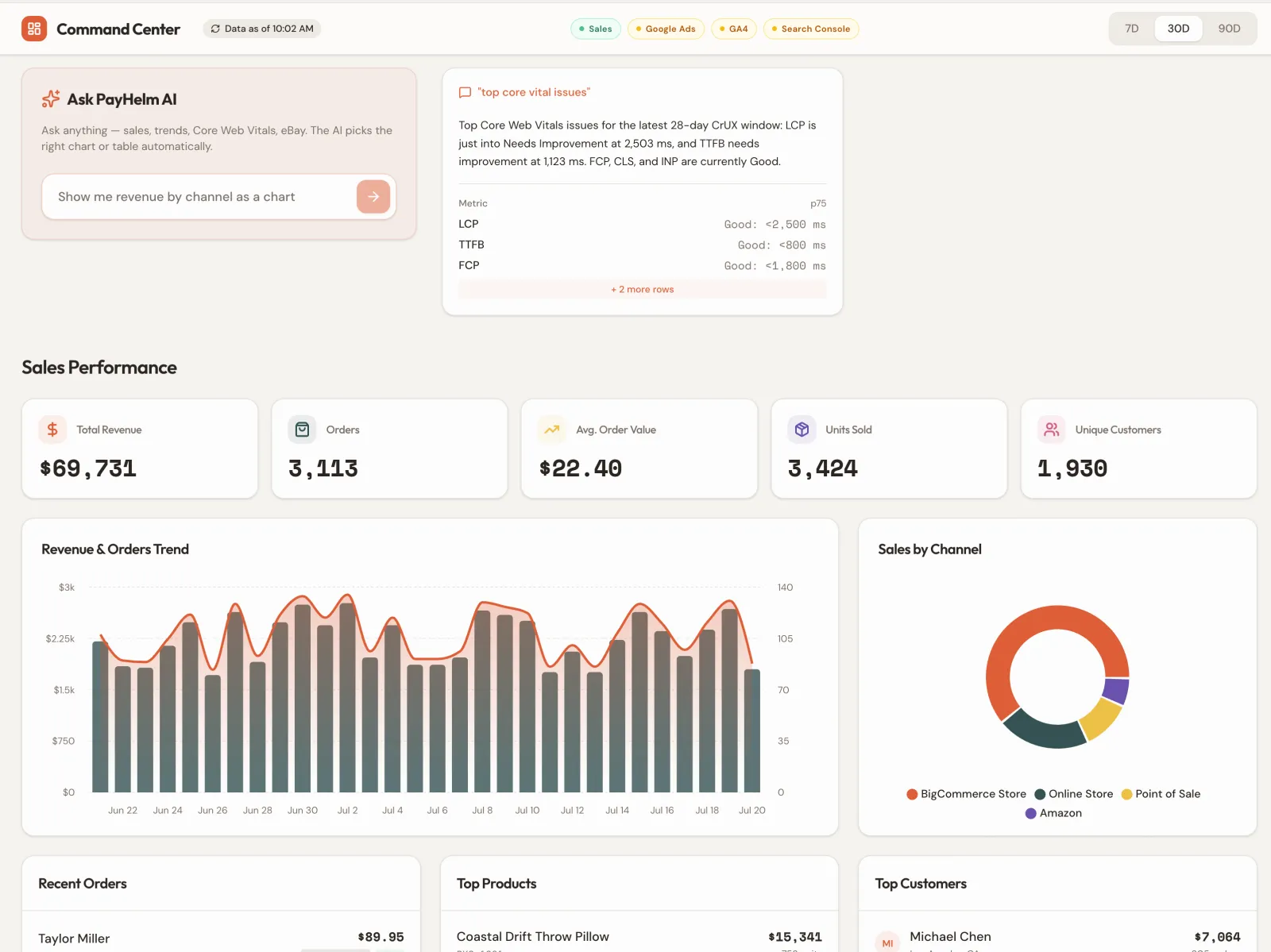
From prompt to deployed tool
Real things Replit Agent builds from your PayHelm data — in minutes, not weeks.
Sales Team Dashboard
Live revenue, ROAS by channel, and top products — auto-refreshing, shareable URL.
Weekly P&L Email
Monday morning automation: P&L summary sent to leadership with zero manual work.
High-Value Order Export
Daily Google Sheets sync of orders over any threshold with margin and attribution data.
Ad Anomaly Slack Alert
Instant Slack notification when ROAS drops or spend spikes beyond your threshold.
Inventory Low-Stock Bot
Daily check across all platforms, Slack ping with reorder quantities pre-calculated.
Competitor Price Tracker
Scheduled scraper + PayHelm margin data to flag when a price change makes sense.
Why Replit + PayHelm
The first coding agent with access to your live ecommerce, ad, and analytics data.
Build Real Tools, Not Just Reports
Replit Agent builds deployable apps — dashboards, automations, and exporters — powered by your live PayHelm data. Not a screenshot. A working URL you can share.
Live Data, Always Fresh
PayHelm's MCP server connects Replit Agent to your live stores, ad accounts, and analytics. Every tool it builds queries real numbers, not static exports.
Instant Deployment
From prompt to deployed URL in minutes. Replit handles hosting, HTTPS, and uptime so you get a shareable link immediately — no DevOps required.
Any Stack, Any Output
React dashboards, Python scripts, scheduled automations, Slack bots, Google Sheets sync — Replit Agent picks the right stack for the job.
50+ Data Sources Instantly
Every platform PayHelm supports — Shopify, Amazon, Google Ads, Meta, BigCommerce, Klaviyo, GA4 and more — is available in a single prompt to Replit Agent.
Full Context, Zero Copy-Paste
No CSV exports. No manual uploads. Replit Agent pulls data directly through PayHelm's MCP tools and writes code that stays connected to the source.
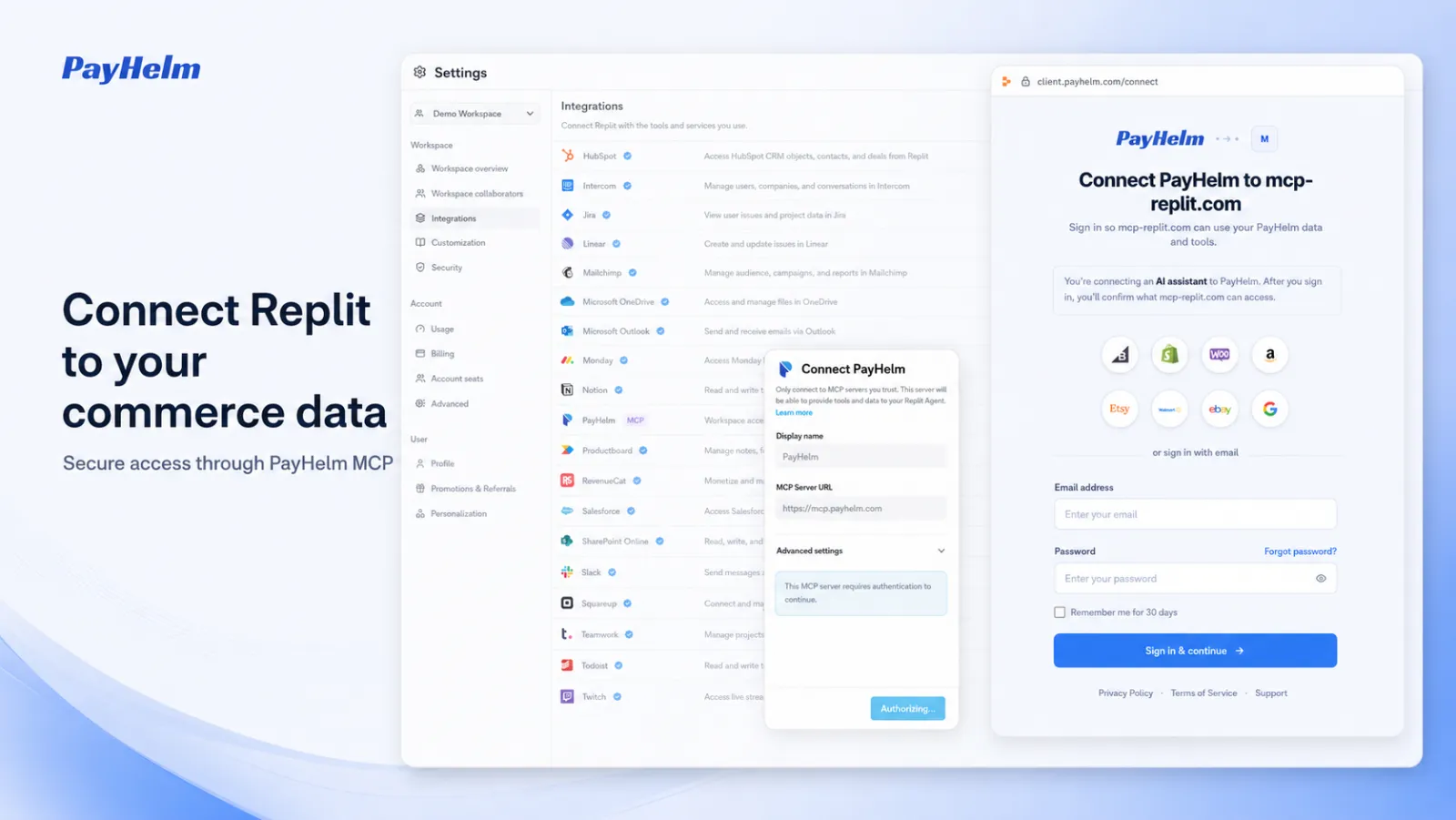
Connect in 5 steps
PayHelm is already listed in Replit's integrations directory. Adding it takes under 2 minutes.
Open Replit Settings → Integrations
In any Replit workspace, click the gear icon to open Settings, then go to the Integrations tab. This is where Replit manages all MCP server connections.
Click "Add Workspace MCP Server" or "Add Personal MCP Server"
At the top of the Integrations page you'll see buttons to add a new MCP server. Choose Workspace to share it with your team, or Personal to keep it to yourself.
Enter the MCP Server URL
In the dialog, confirm the MCP Server URL is set to the address below. This is PayHelm's secure MCP endpoint — it gives Replit Agent read access to your live store and ad data.
Sign in with PayHelm
Click "Authorize" — Replit redirects you to PayHelm to authenticate. Sign in with your PayHelm credentials. You'll confirm exactly what data Replit Agent can access before approving.
Start building in Replit Agent
That's it. Open Replit Agent and describe what you want — a dashboard, an automation, an export script. Agent pulls live data from all your connected platforms and builds the code.
Ready to connect?
Add PayHelm from Replit's Integrations settings, sign in, and start building with your live commerce data.