Why Product Mapping Becomes Difficult in Multichannel Ecommerce
The same physical product may have different SKUs, IDs, titles, variants, and listings. Bundles, multipacks, and marketplace-specific names make poor mapping a source of inaccurate sales, inventory, and profit reports.
Mapping errors compound as soon as a product appears in more than one report. One physical item can be counted twice, while a bundle can consume component inventory without looking like the same product in a marketplace feed.
Start by defining the decision this section needs to support. Record the metric definitions, comparison window, and owner before drawing a conclusion. That small amount of discipline makes the analysis easier to repeat and easier for another teammate to trust. It also gives the team a clear standard for deciding whether the next review shows improvement.
How Products Can Be Matched Across Different SKUs, IDs, and Naming Conventions
Matching can use SKU, UPC or GTIN, title, variant attributes, and metadata. Exact identifiers help when available, while a canonical product record connects platform listings to one underlying item.
Use a hierarchy of evidence rather than relying on titles alone. Stable identifiers can create an exact match, while variant details and human review can resolve cases where names are similar but the underlying product is different.
The comparison becomes more useful when the underlying data is complete and consistently labeled. Check for missing records, delayed updates, and changes in platform definitions before treating movement as a business signal. When the inputs are clear, an operator can explain the result without rebuilding the analysis manually. This check is especially important when several connected platforms refresh on different schedules.
How AI Can Help Identify and Resolve Product Mapping Conflicts
AI can compare attributes when identifiers differ, assign match confidence, and flag ambiguity. It can detect one listing matching multiple products or mappings drifting apart.
Confidence levels make uncertainty visible to the team responsible for catalog quality. High-confidence matches can be automated, while ambiguous matches should be placed in a review queue with the attributes that led to the recommendation.
Break the result into the dimensions that can change the outcome, such as product, channel, location, customer group, or time period. A concentrated pattern usually points to a more actionable cause than a broad average. Keep the original total visible so the team can connect the detail back to business impact. The resulting view helps the right owner act without losing the context of the overall business.
Creating a Unified Product View Across Stores and Marketplaces
Once mapped, sales and inventory aggregate across channels while platform-level detail remains available. Teams see total product performance without losing the context needed to investigate a listing.
A canonical product view should preserve source IDs and variant relationships. That makes the unified report useful for totals while keeping enough lineage to correct one marketplace listing without disrupting every connected channel.
Interpret the finding as evidence to investigate, not as proof of a single cause. Compare it with a relevant control period and ask what changed in the workflow around the same time. This approach reduces false alarms while preserving the urgency of issues that affect customers or cash flow. It also makes the eventual recommendation easier to explain to stakeholders.
How Automated Product Mapping Improves Analytics, Inventory, and Profit Reporting
Consistent mapping improves unit and revenue reporting, demand planning, COGS, margin, and profitability. It turns product data from disconnected listings into a reliable foundation for decisions.
Reliable mapping improves decisions downstream, but it should be monitored as an ongoing data-quality process. New listings, renamed variants, and bundles can introduce drift, so periodic conflict checks protect the reports that depend on the mapping.
Turn the insight into a small next step with a named owner and a date for review. The team can test a process change, adjust a planning assumption, or request better source data. Measuring the same section again shows whether the action solved the problem or only moved it elsewhere. A short feedback loop is more useful than a one-time report that is never revisited.
Building a Unified Product View With PayHelm
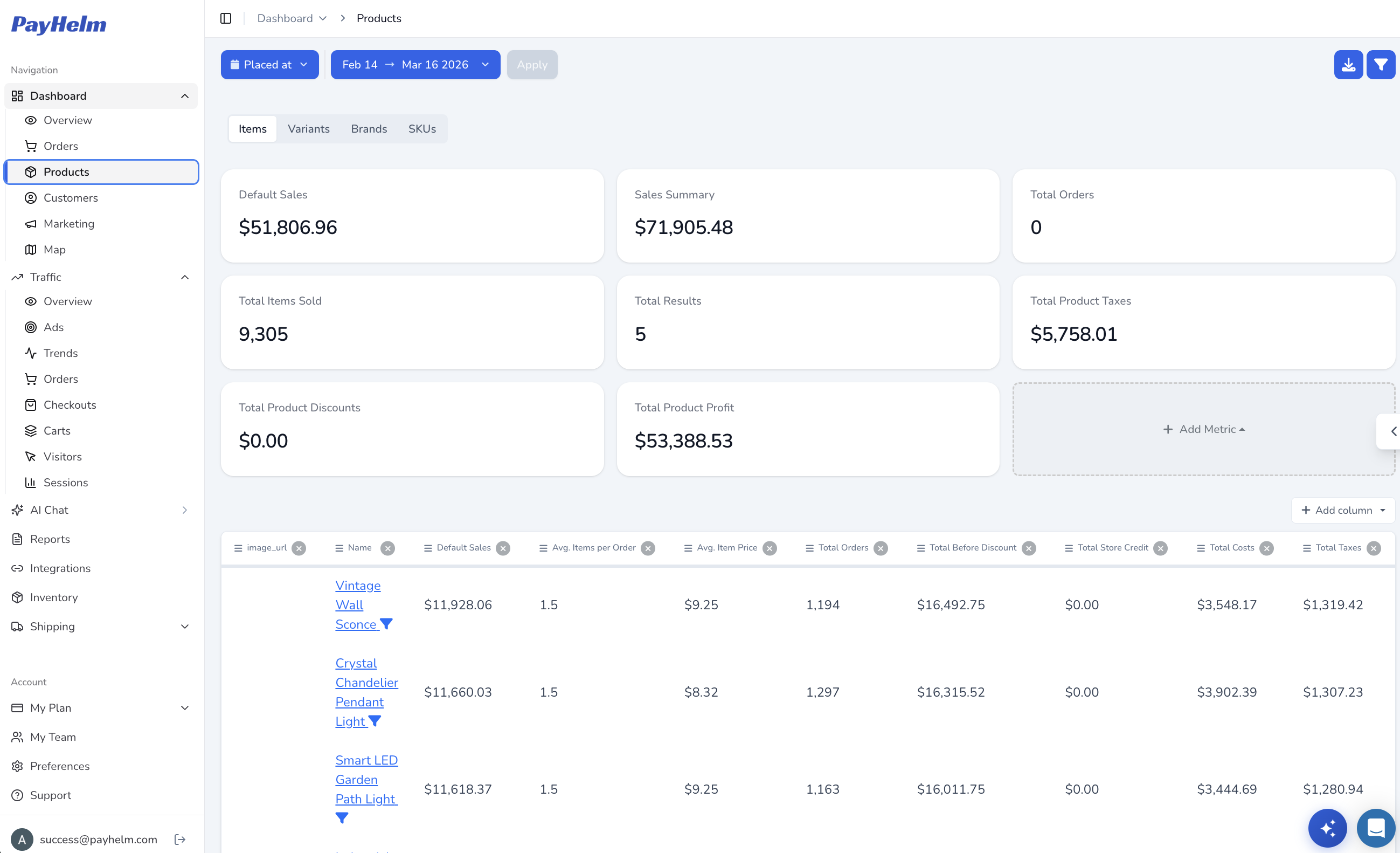
PayHelm connects equivalent products across sources for unified analysis. Ask, “Which listings are mismatched, and how does that affect inventory, COGS, and margin?” Use the findings to correct source data. The PayHelm data pipeline can help teams maintain reliable source connections as the catalog changes.
Start with a conflict report and review the ambiguous matches before using the unified totals for planning. Once the catalog is trustworthy, ask PayHelm to connect product mapping to inventory, COGS, margin, and channel performance decisions.
PayHelm is most useful when the question moves from a headline to a decision. Start with the broad result, ask a focused follow-up, and verify the supporting records before acting. That workflow keeps AI-generated analysis practical, transparent, and aligned with the operating team’s judgment. It gives the team a repeatable path from an observation to a responsible operational decision.