Square Payment Analytics & Reporting
Connect Square payment data to PayHelm and see your Square transaction volume, fees, net revenue, and payment trends alongside every other channel — no manual exports, no spreadsheets.
- Exporting Square orders into spreadsheets every week just to figure out which products are actually profitable
- No single view of Square sales next to your ad spend, so you can't tell which channels are worth the money
- Customer data trapped inside Square with no visibility into repeat purchase rate or lifetime value
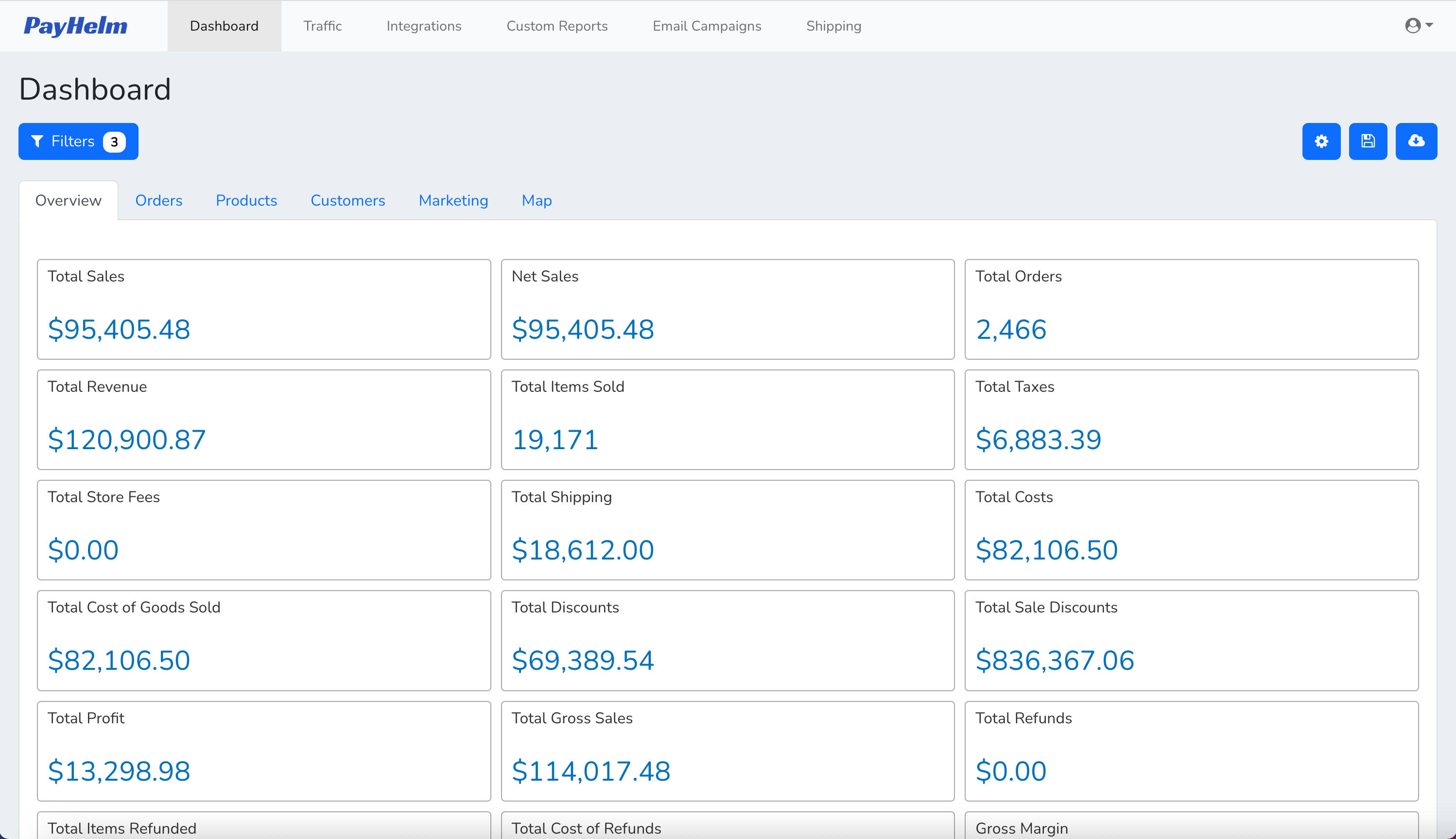
Key Benefits
See Square transaction volume, gross revenue, processing fees, and net revenue in one place — no logging into the Square Dashboard separately
Combine Square payment data with your other channels so you have a single source of truth for total business revenue
Track Square processing fees over time and understand exactly what percentage of revenue you're losing to payment costs
Compare Square payment performance across multiple locations to spot high-performing and underperforming sites
Identify seasonal patterns and revenue trends in your Square payment data to plan inventory and staffing more accurately
Cross-reference Square payment volume against marketing spend to understand which campaigns drive the most Square transactions
Inside Your Square Dashboard
A closer look at what you get once your Square data is connected — real screens, not mockups.
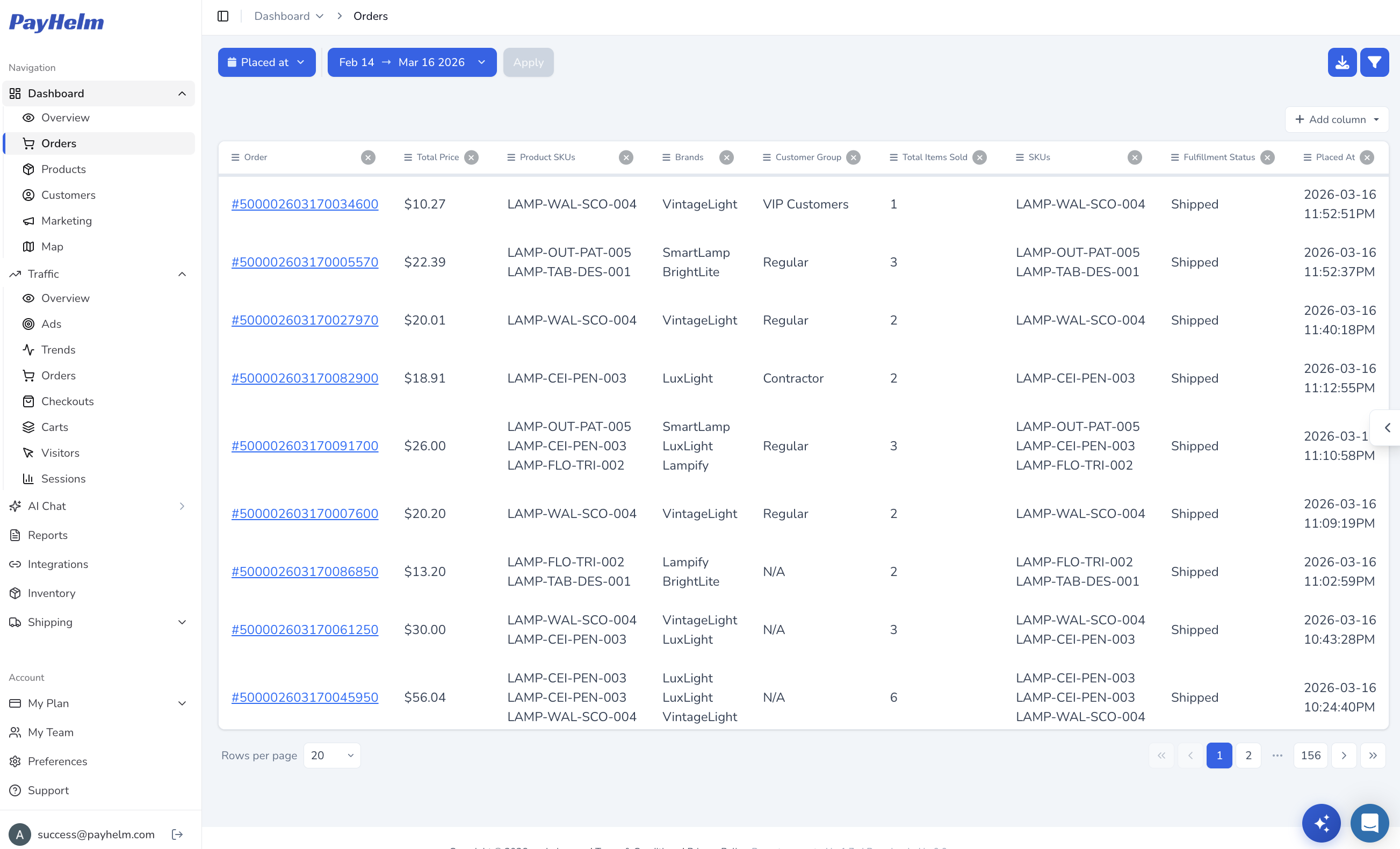
Every order, without the export
See every Square order — totals, SKUs, brands, customer group, and fulfillment status — in one filterable table instead of exporting CSVs by hand.
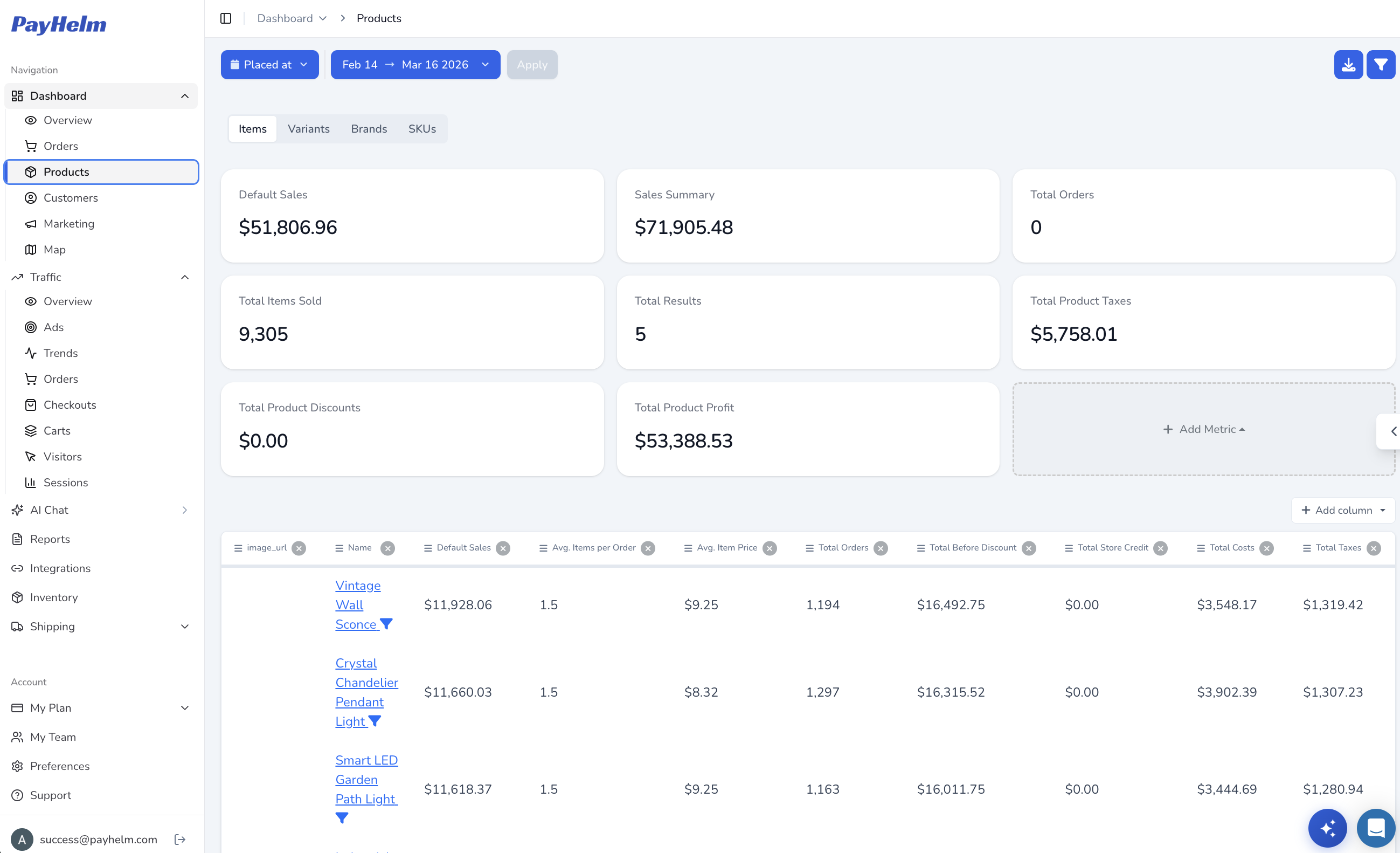
Know which products actually make money
Break down Square sales by product, variant, or SKU with real profit numbers — items sold, average item price, discounts, and total profit side by side.
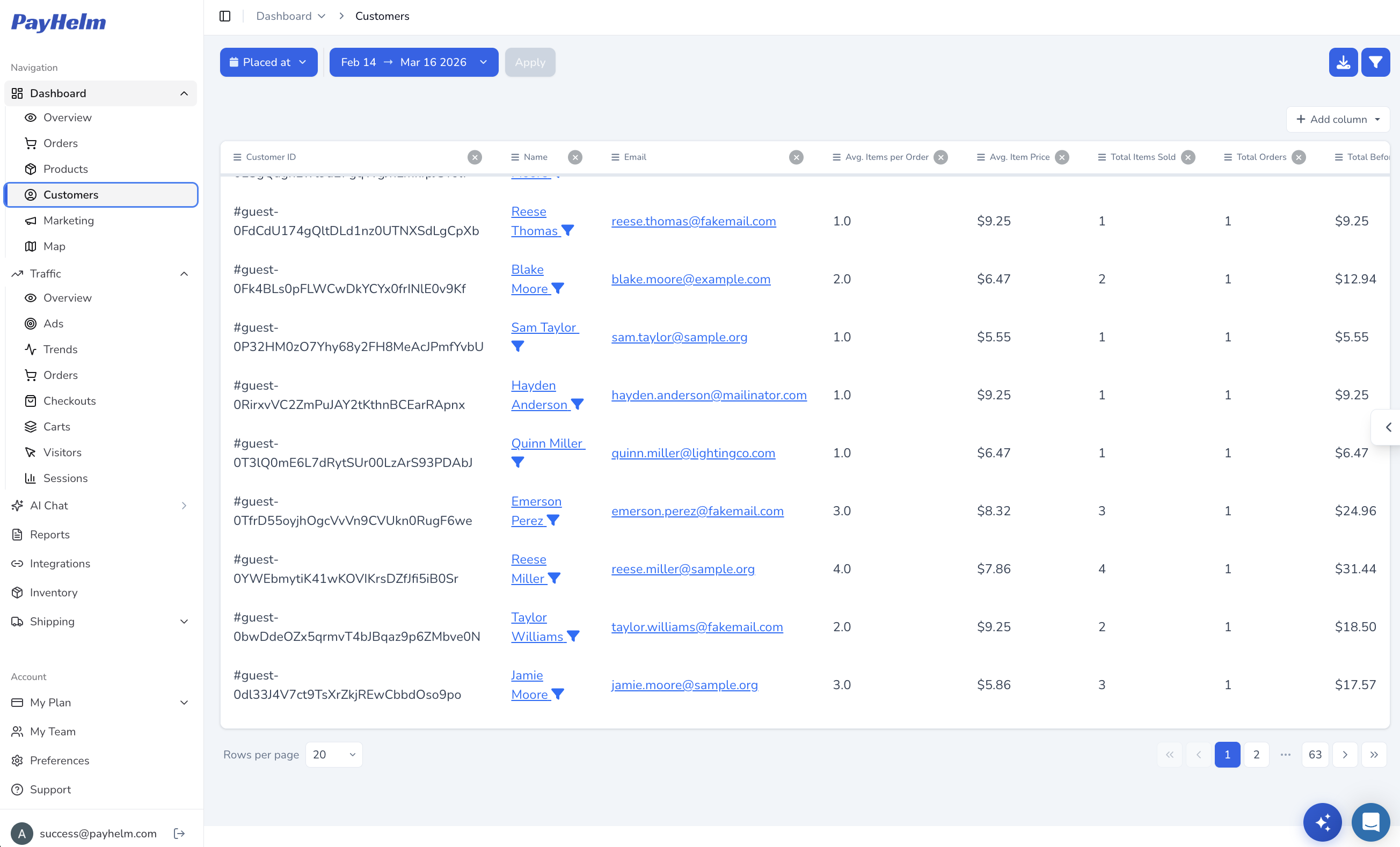
Find your best customers
Turn Square customer records into a sortable list of who's ordering, how often, and how much they spend — the data needed to spot repeat buyers and VIPs.
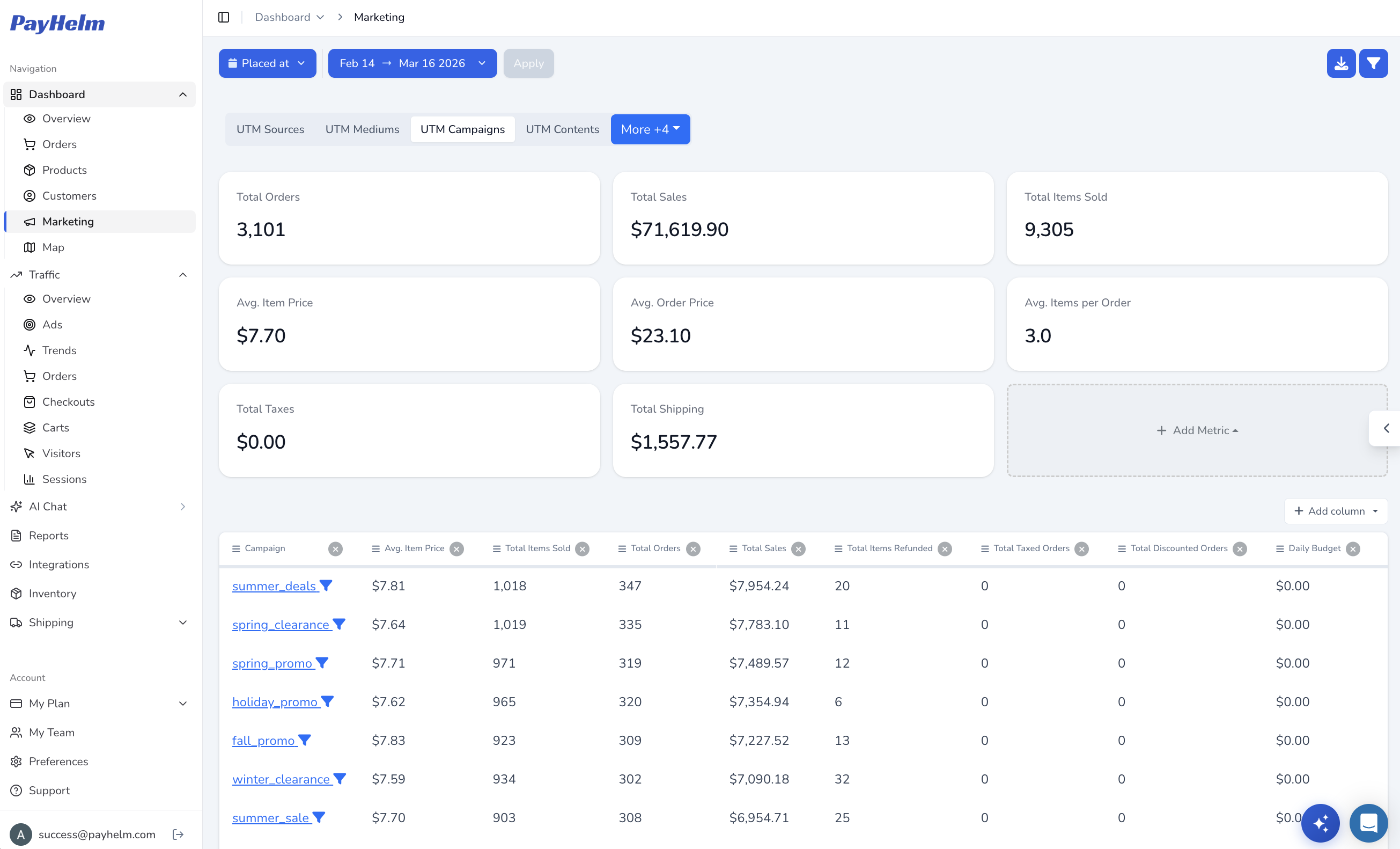
Connect campaigns to revenue
Match Square sales back to the UTM campaign, source, and medium that drove them, so you know which marketing spend is actually working.
Key Capabilities
Square Payments API integration — syncs transaction history, fees, and payout data automatically
Net revenue calculation after Square processing fees for accurate profitability reporting
Multi-location transaction comparison — benchmark Square payment performance across all business locations
Cross-channel revenue view combining Square with 50+ other PayHelm integrations
Payment trend analysis to identify revenue patterns by day, week, month, and season
Refund and dispute tracking to keep net revenue figures accurate
Customer Success Stories
What Our Customers Say
"I never had a clear picture of what Square was actually costing me in fees until PayHelm. Now I can see gross vs. net revenue side by side with all my other channels. It changed how I think about payment processing costs."
Retail Owner
Multi-Location Retail Business
"Reconciling Square transaction data used to mean downloading CSVs and building pivot tables. PayHelm pulls everything in automatically. Our monthly close is noticeably faster."
Finance Manager
Restaurant Group
For Agencies
Pull Square payment data into unified client reports alongside other channels — no manual CSV exports from Square Dashboard
Show clients their true net revenue after Square fees so profitability conversations are grounded in real numbers
Compare Square payment volume across client locations and flag underperforming sites with data-backed evidence
Cross-channel attribution for clients using Square alongside Shopify, WooCommerce, or marketplace channels
Connect your Square account to PayHelm using OAuth — takes under 2 minutes
Select which Square locations to include in your payment analytics
PayHelm syncs your full transaction history and begins calculating net revenue after fees
Add other channels (Shopify, Amazon, Google Ads) to build a cross-channel revenue view
Configure dashboard views and automated reporting schedules
Other Payment Processors integrations you might be interested in
Stripe
Analyze your Stripe fees and keep your Stripe data aligned across all your sources of data
PayPal
Analyze PayPal transaction data, fees, and payment performance with comprehensive reporting
Braintree
Analyze Braintree payment processing with detailed transaction analytics and fraud insights
Authorize.net
Analyze your Authorize