Intercom Integration
Connect customer communication data with sales analytics for comprehensive customer journey insights.
- Exporting Intercom orders into spreadsheets every week just to figure out which products are actually profitable
- No single view of Intercom sales next to your ad spend, so you can't tell which channels are worth the money
- Customer data trapped inside Intercom with no visibility into repeat purchase rate or lifetime value
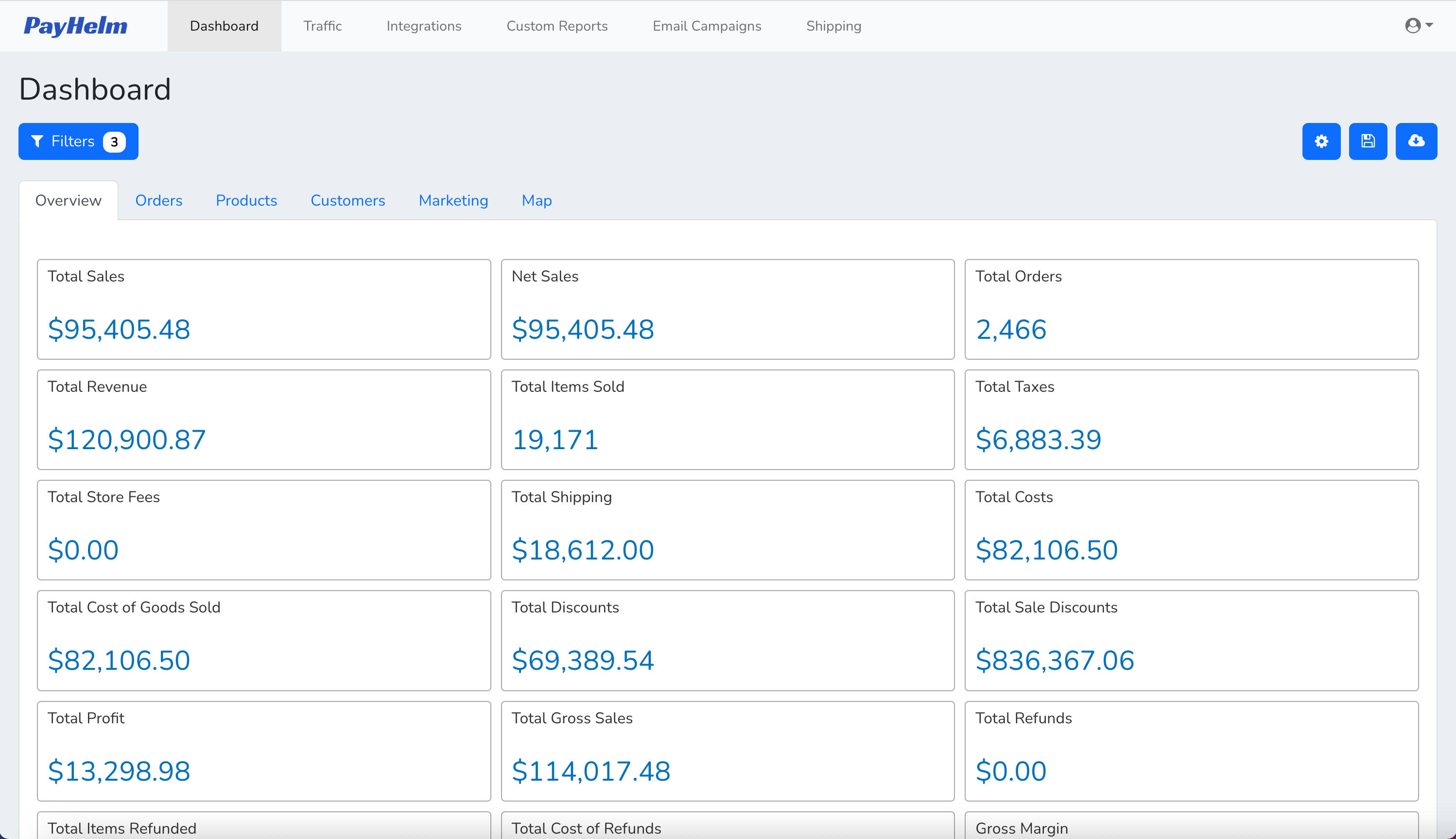
Key Benefits
Unified customer communication and sales data
Customer support impact on sales
User engagement correlation analysis
Conversation-to-conversion tracking
Customer journey optimization
Inside Your Intercom Dashboard
A closer look at what you get once your Intercom data is connected — real screens, not mockups.
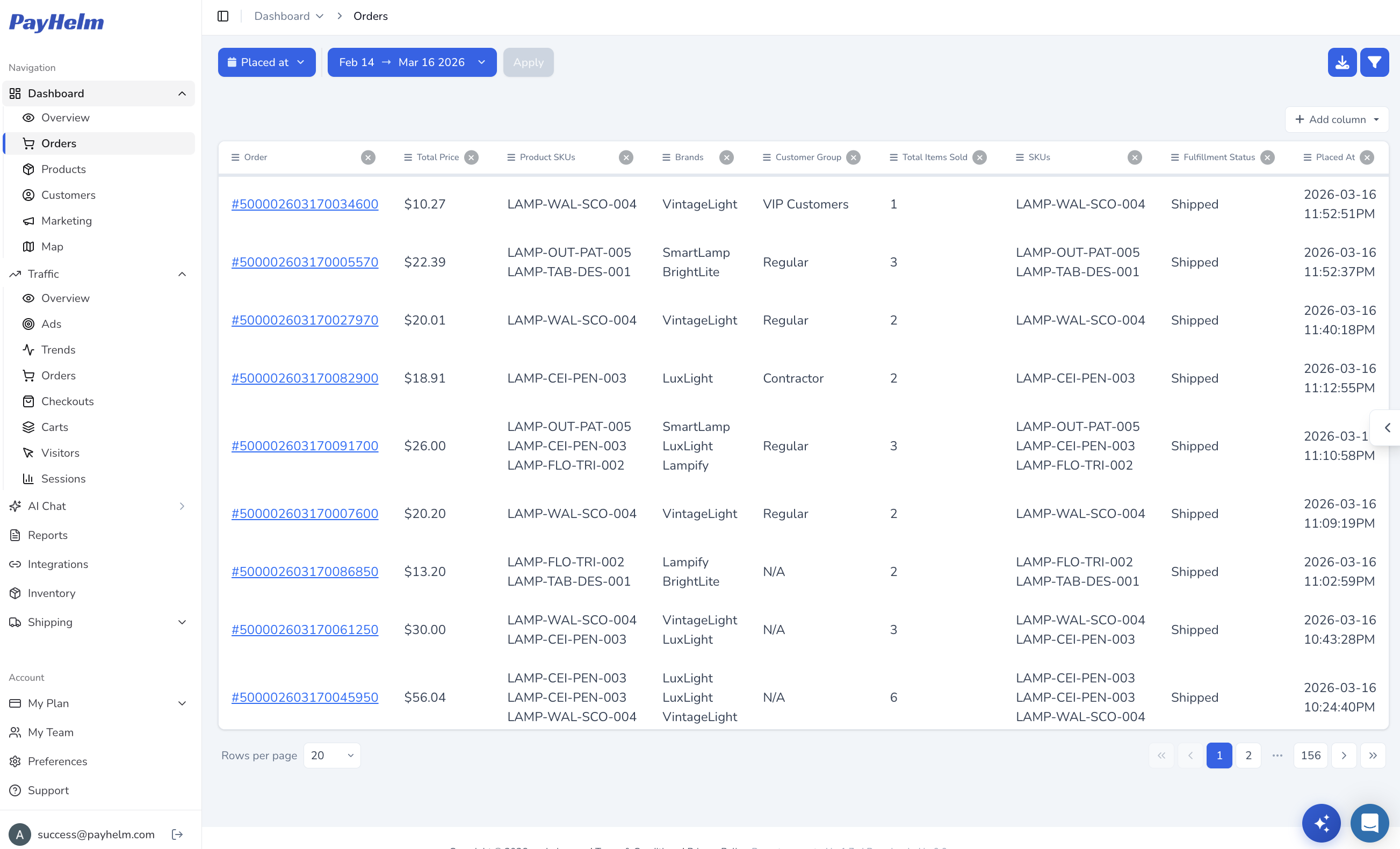
Every order, without the export
See every Intercom order — totals, SKUs, brands, customer group, and fulfillment status — in one filterable table instead of exporting CSVs by hand.
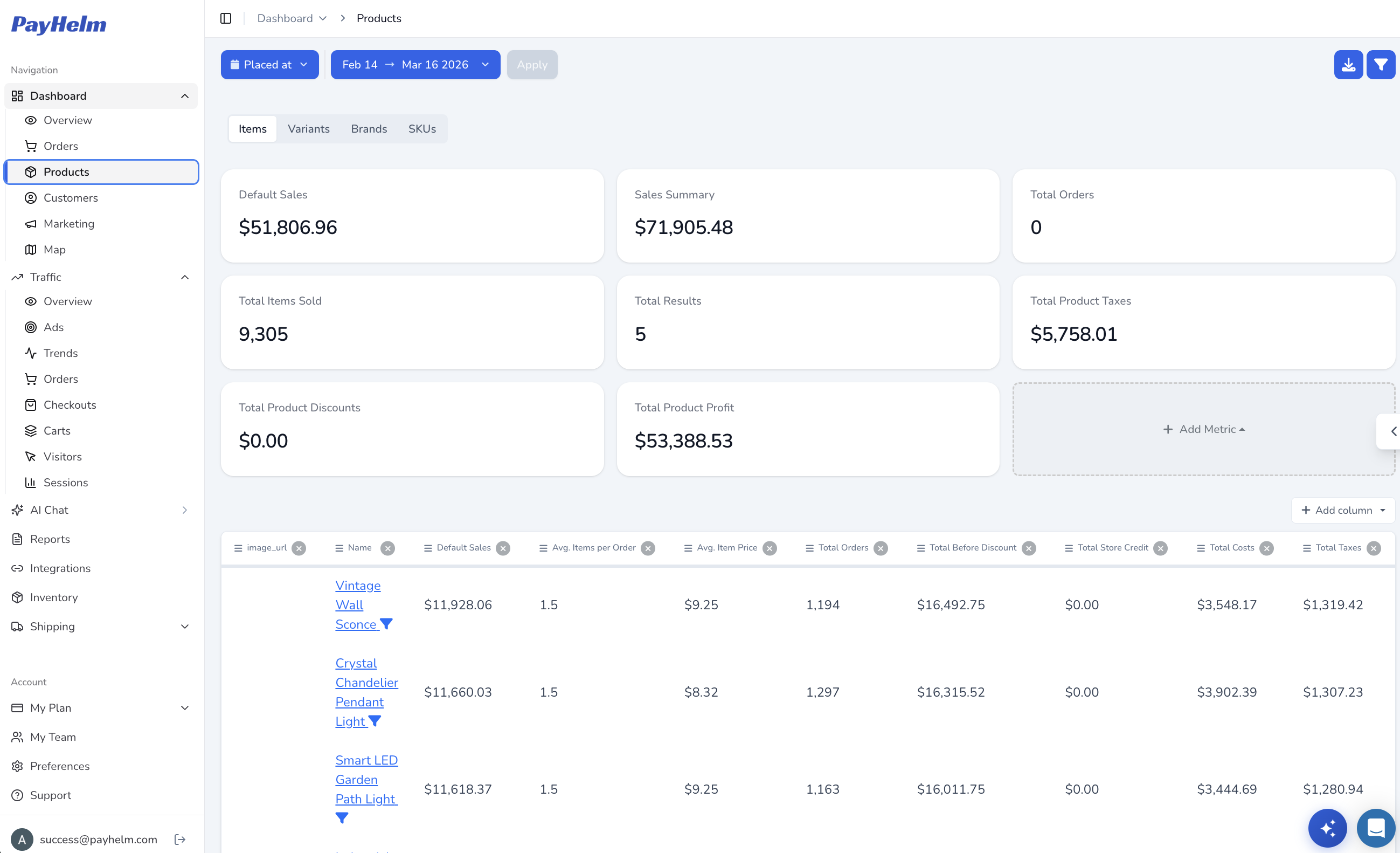
Know which products actually make money
Break down Intercom sales by product, variant, or SKU with real profit numbers — items sold, average item price, discounts, and total profit side by side.
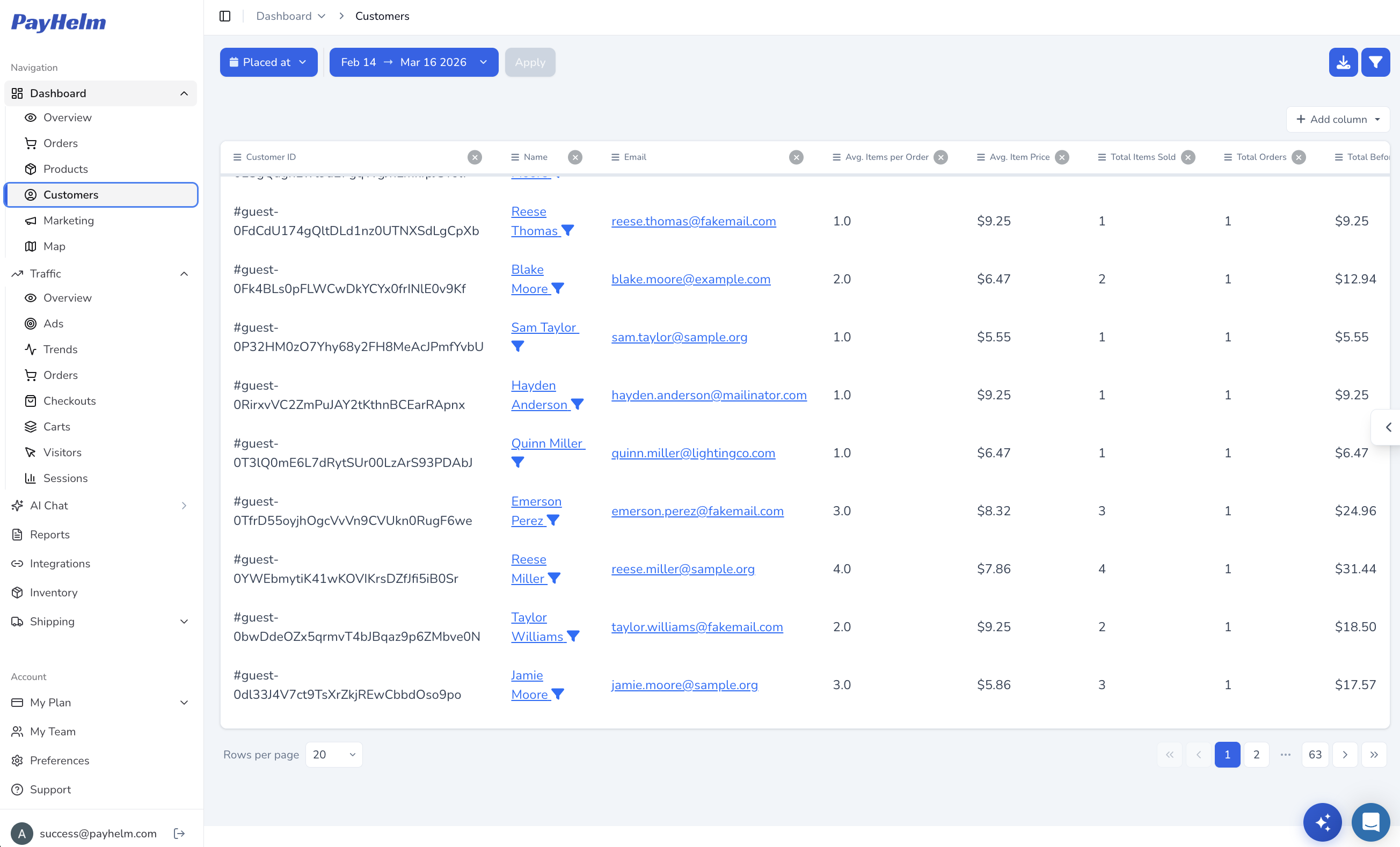
Find your best customers
Turn Intercom customer records into a sortable list of who's ordering, how often, and how much they spend — the data needed to spot repeat buyers and VIPs.
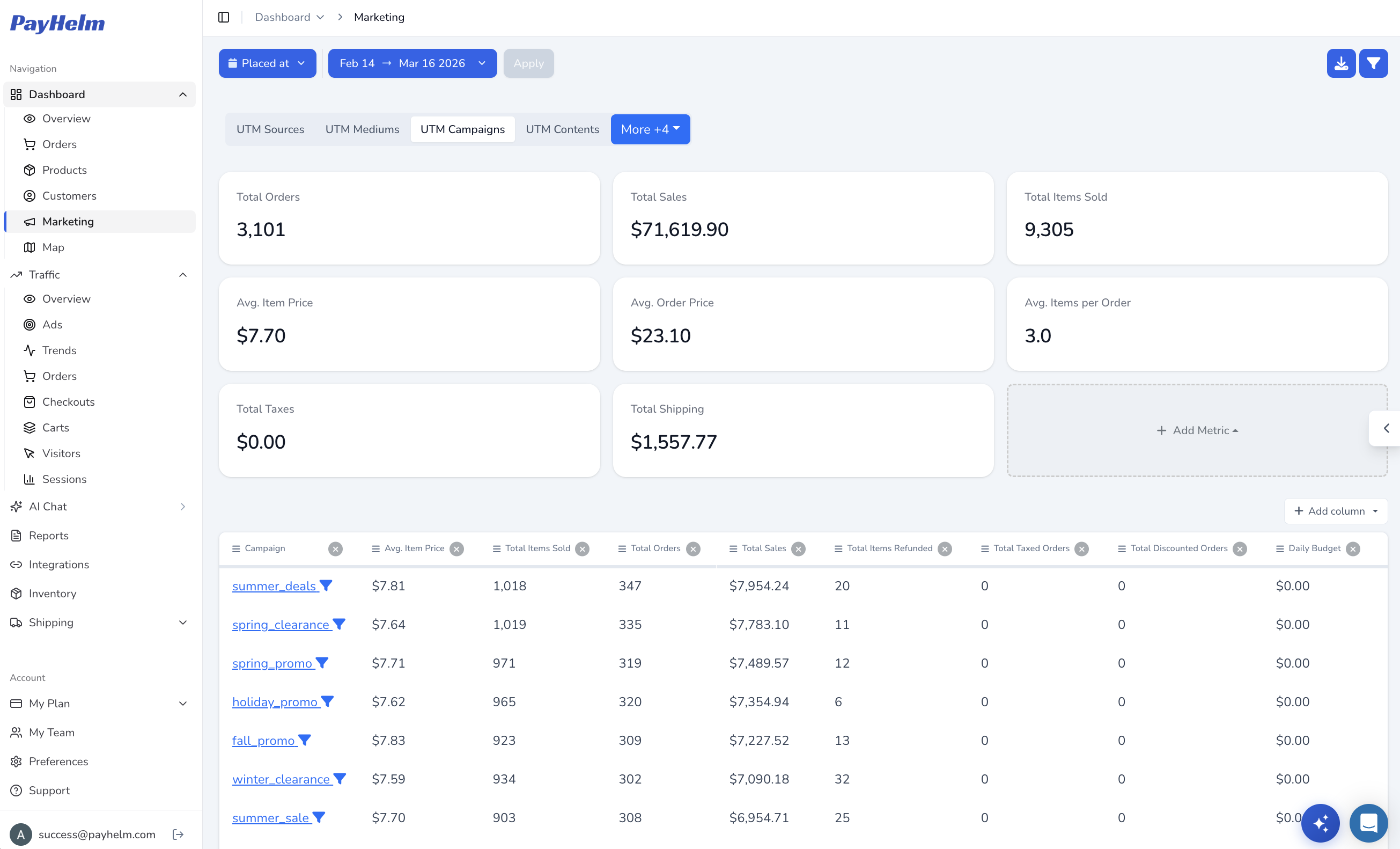
Connect campaigns to revenue
Match Intercom sales back to the UTM campaign, source, and medium that drove them, so you know which marketing spend is actually working.
Key Capabilities
Intercom REST API integration
Conversation and message tracking
User engagement analysis
Support impact on sales
Customer journey mapping
For Agencies
Comprehensive client customer experience analytics
Support and sales correlation insights
Enhanced customer success tracking
Professional communication analytics
Other CRM & Support integrations you might be interested in