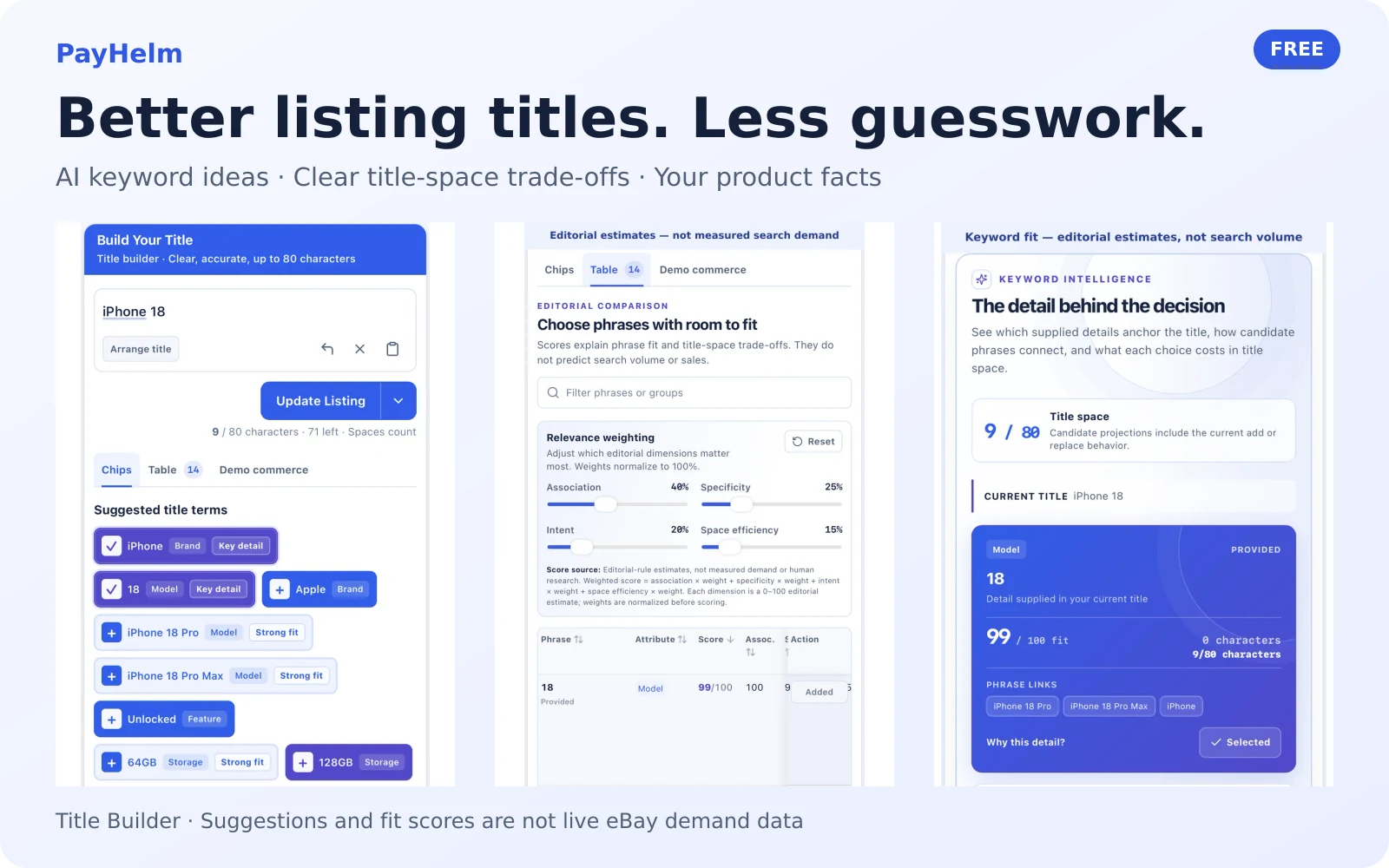
Writing a listing title should not mean staring at a blank box, copying someone else's wording, or squeezing in keywords at random. PayHelm's new free Title Builder helps you turn the facts about your item into a clearer eBay title—and understand what each phrase adds before you choose it.
It is made by the team behind the original Terapeak title builder, with AI-assisted suggestions, editable titles, and useful explanations for today's listing workflow.
Get useful keyword ideas while you type
Start with the brand, model, product type, or other details you know about your item. Suggestions refresh as you type, especially after a space or a short pause, so you can keep working instead of repeatedly pressing a Generate button.
- Find relevant wording faster. Explore product attributes and familiar eBay terminology without leaving the title editor.
- Keep important details visible. Highlights help distinguish supplied key details from potentially useful alternatives.
- Stay in control of accuracy. Suggested models, sizes, colors, features, and condition terms are optional choices—not facts the tool has verified about your item.
- Finish phrases with less typing. Press Tab to complete a matching suggestion when one is available.
The tool uses your product details, not live eBay searches or scraped listings. Choose only terms that genuinely describe what you are selling.
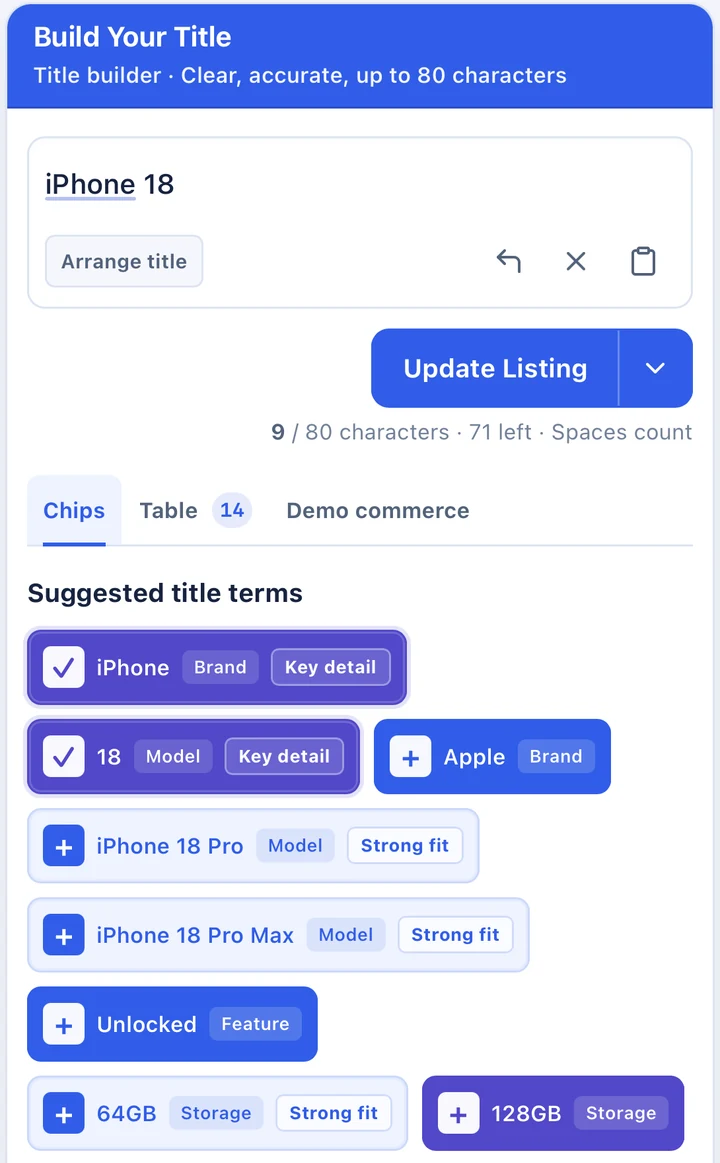
Start with your product facts and explore optional wording. Example suggestions are not verified product specifications.
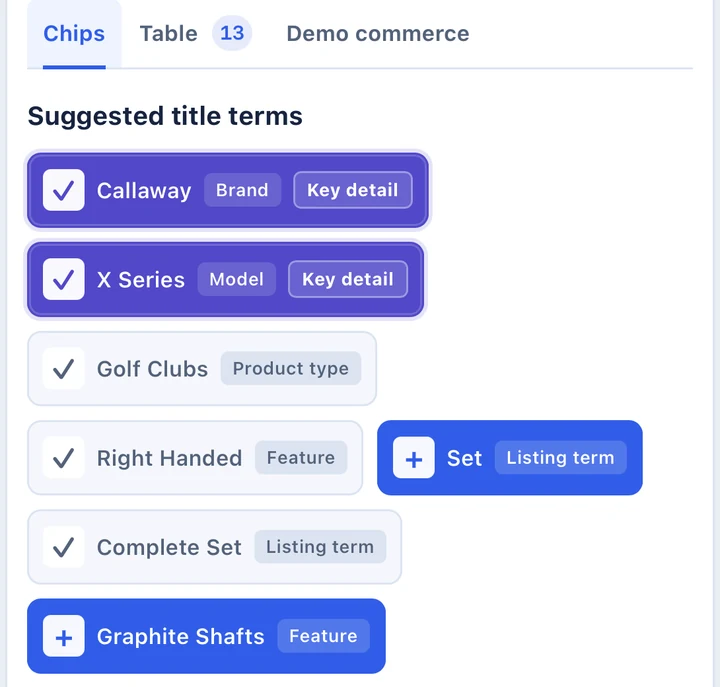
Keyword choices keep product facts and attribute labels together, helping you check what belongs in your listing.
Build a readable title without fighting the editor
Click a keyword to add it in a logical place. Where a choice is an alternative for an existing attribute, the tool can replace that attribute rather than keep both versions in the title.
Switch to Arrange title to move phrases with drag-and-drop, including touch and keyboard controls, or choose Edit text for direct editing. Undo makes it easy to compare changes without losing your previous wording, and the copy control puts the finished title on your clipboard.
The character counter includes spaces and enforces eBay's 80-character title limit. On mobile, the title wraps so you can read the whole thing, and keyword choices use an orderly, tappable layout. You can make a quick improvement from your phone without guessing what is hidden off-screen.
Understand the trade-offs before adding another phrase
The Table view gives you more than a list of suggestions. Compare association, specificity, intent, and space efficiency, then adjust their weights to match what matters most for your item.
Sort and filter the table to inspect alternatives, see related phrases and explanations, and check the projected title length and remaining space before adding or replacing a term. That helps you avoid spending limited title space on wording that contributes little clarity.
These are editorial estimates of phrase fit, not measured search volume, buyer-interest statistics, human research, or promises of more sales. Use them to support your judgment—not to override the facts about your item.
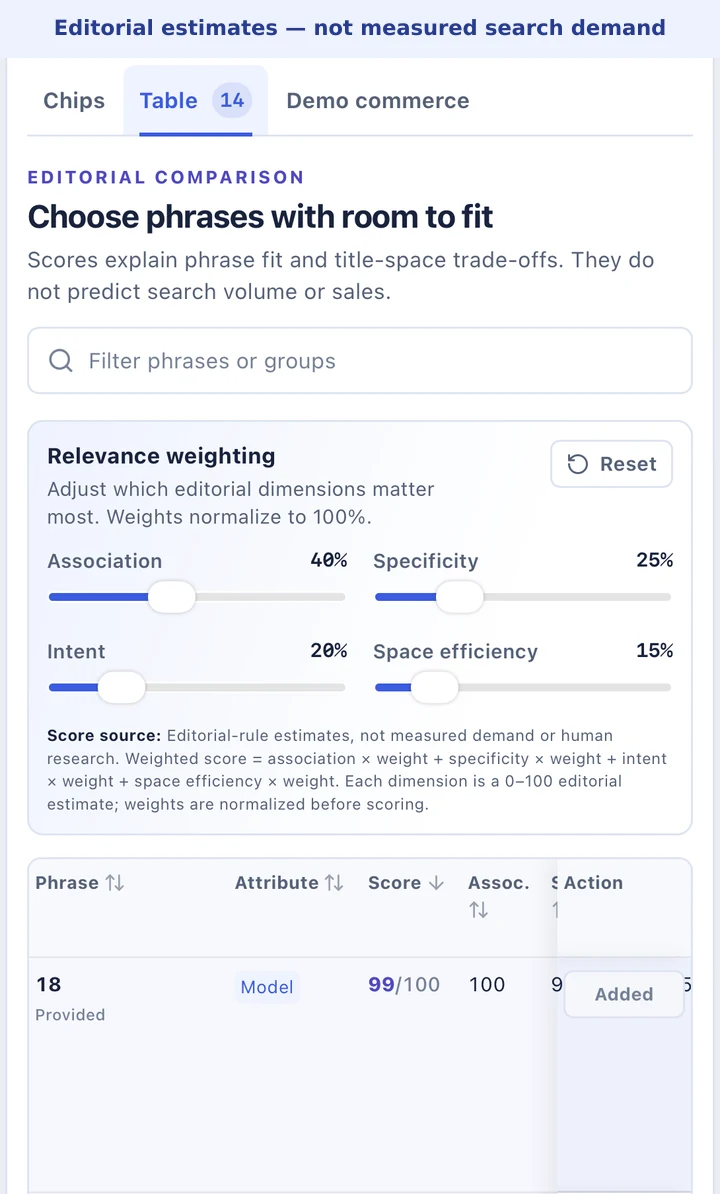
Compare phrase fit and title-space trade-offs. Scores are editorial estimates, not measured marketplace demand.
See how your keywords relate
The Keyword Intelligence cards make associations easier to understand at a glance. See which details are already supplied, explore related phrases, read the reason behind a suggestion, and check how an addition or replacement would affect the space available in your title.
Instead of treating every keyword as equally useful, you can review its role: identifying the product, clarifying an attribute, or offering an alternative you still need to verify.
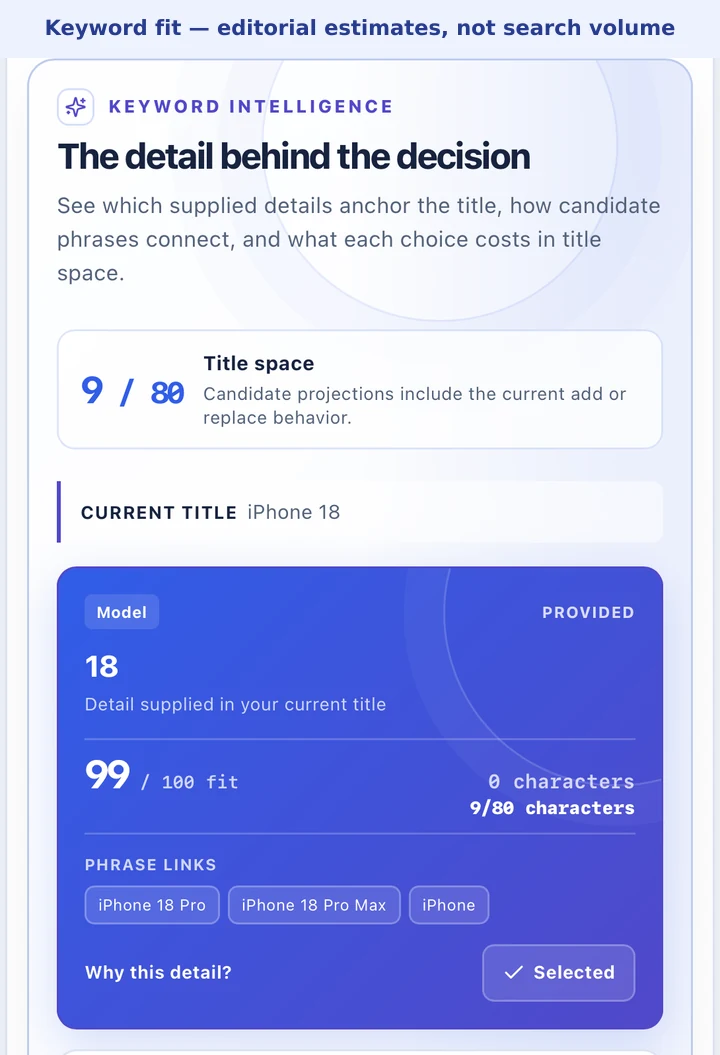
Visual relationships and fit explanations help you evaluate wording; they do not report live buyer demand.
Explore performance concepts without confusing demo data with real results
The Demo commerce tab shows an illustrative keyword-performance table with impressions, clicks, orders, revenue, ad spend, profit, CTR, conversion rate, ROAS, and average order value. You can sort, filter, and explore the example to understand how different metrics might inform a reporting workflow.
All commerce figures in this tab are synthetic examples. They are not your store's results, live eBay data, or evidence that one keyword will outperform another. The example numbers do not drive title recommendations or automatically change your title.
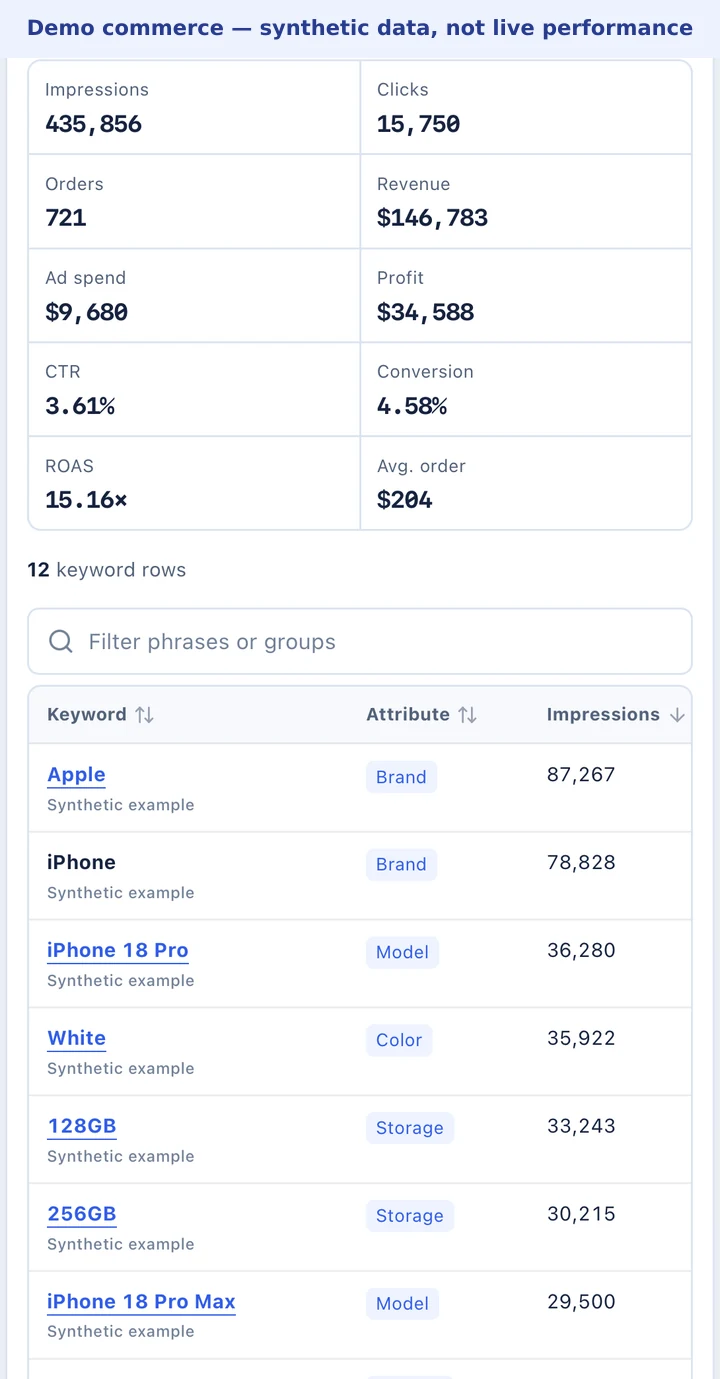
Demonstration data only: these figures illustrate the interface, not real store performance or marketplace demand.
Connect your channels when you want real business data
Connection cards take you directly to PayHelm's integration setup for eBay, Amazon, Etsy, Walmart, Google Ads, Meta Ads, and Google Search Console. After connecting the appropriate accounts, you can access real store, advertising, and search-performance reporting in PayHelm.
The public Title Builder's Demo commerce table remains synthetic; connecting an account does not turn those sample figures into live keyword metrics.
When you are ready to continue, the Create Listings and Update Listing actions open PayHelm's AI workspace. They are shortcuts to that workspace—not an automatic save to a marketplace. PayHelm account access and plan requirements apply to its connected workflows.
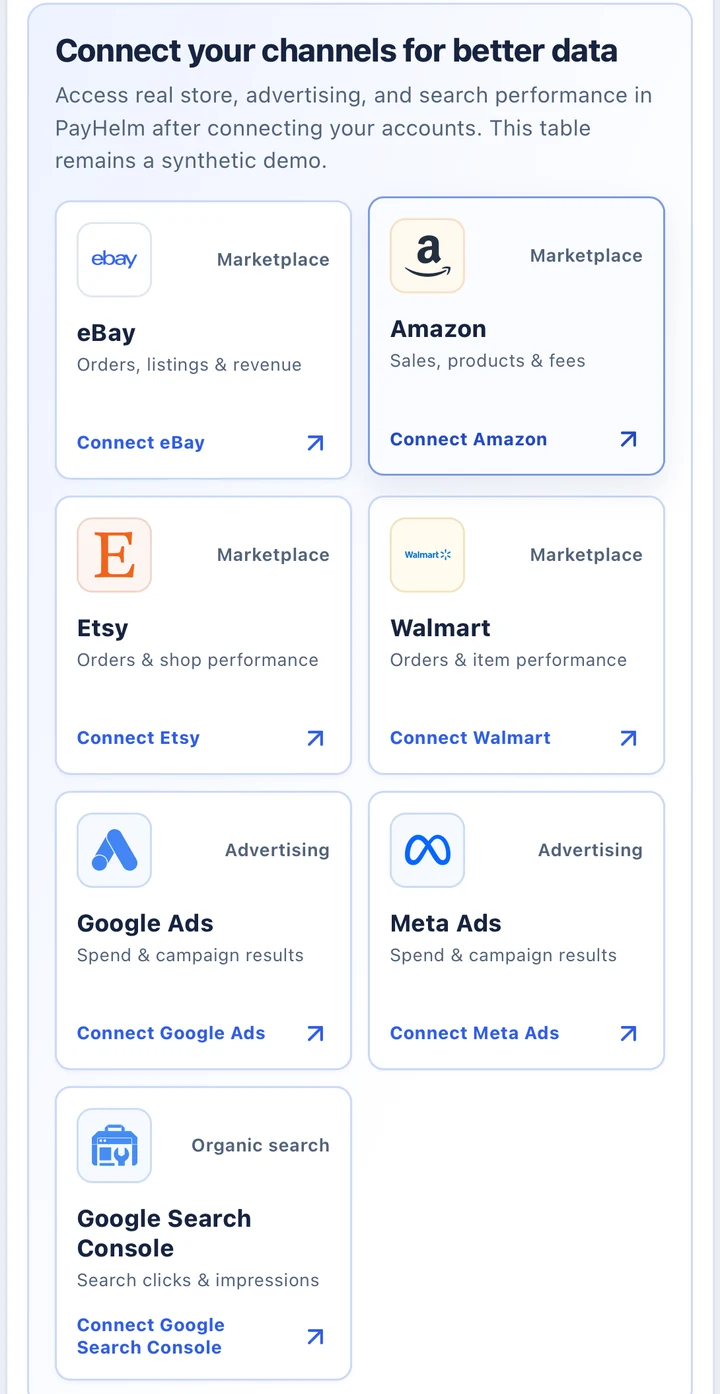
Open the relevant PayHelm integration setup to connect your accounts and access real reporting in PayHelm.
Try it with your next item
The Title Builder is free to use, and you do not need to connect an eBay account to try it. Bring the facts about your product, explore useful wording, and build a title you can read, edit, and verify.