inkFrog Migration Guide: Import Listings, Upload Your CSV, and Manage eBay with PayHelm's AI Agent
In this article
inkFrog is shutting down on June 1, 2026. This guide walks you through every step of the migration — from exporting your inkFrog data to uploading your CSV to PayHelm, connecting eBay for automatic order sync, and using PayHelm's AI Agent to optimize and relist your eBay listings.
Step 1: Export your inkFrog listings before May 31
Before inkFrog closes, export your full listing catalog:
Visit open.inkfrog.com/?exportcsv=1 — this takes you directly to the export page and downloads your full listing CSV immediately.
Save the file to your computer — keep it safe.
The CSV includes all the data PayHelm needs: listing title, SKU/custom label, item condition, category, item specifics, price, quantity, description, image URLs, shipping template, return policy, and listing status.
Do this before May 31. After inkFrog closes on June 1, your data is gone permanently.
Step 2: Upload your inkFrog CSV to PayHelm
Once you have your CSV, uploading it to PayHelm takes under two minutes.
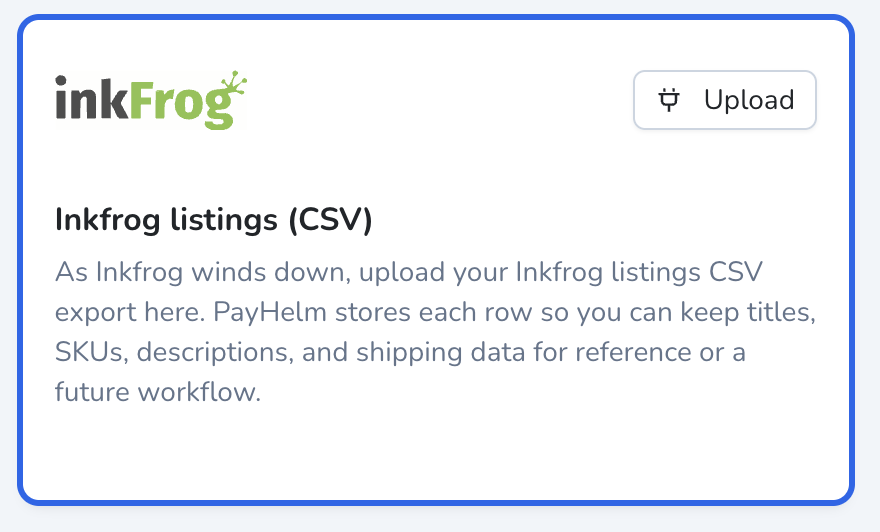
In your PayHelm account, find the inkFrog listings (CSV) card in your integrations area. Click the Upload button in the top-right corner of the card.
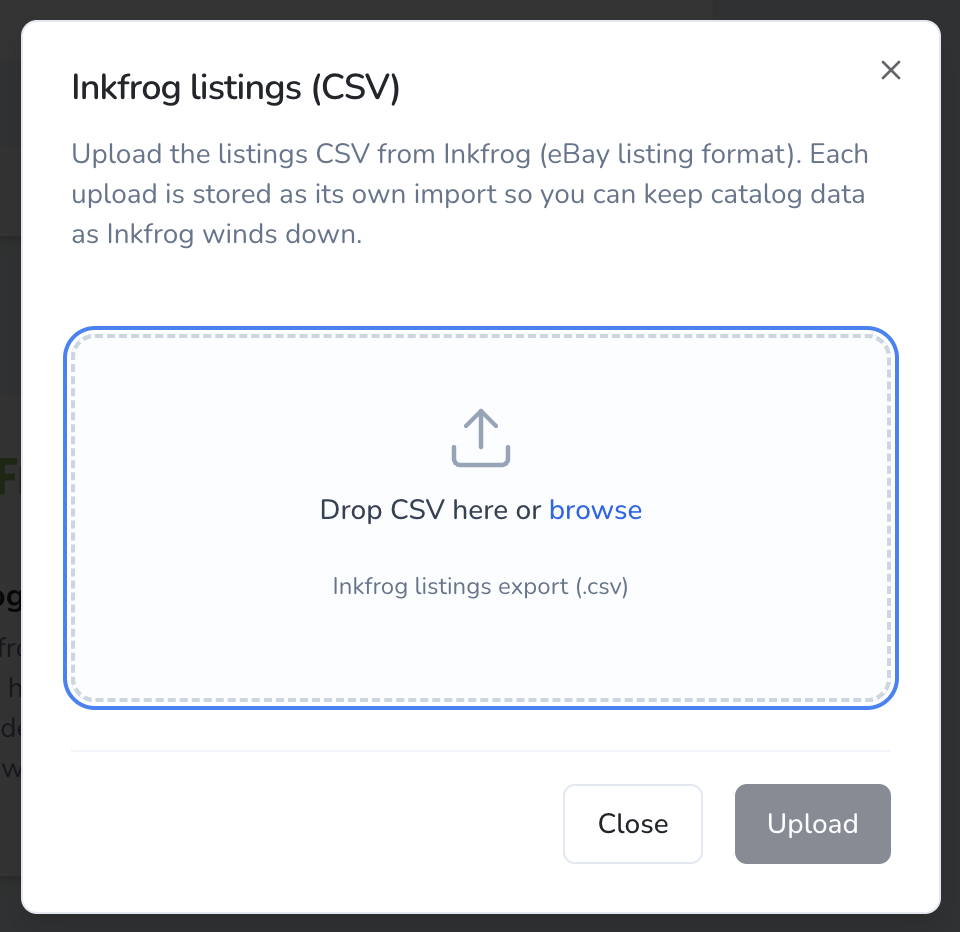
A dialog opens. Drag and drop your CSV onto the upload area, or click browse to select it. The file must be the standard inkFrog listings export (.csv).
Click Upload to process the file.
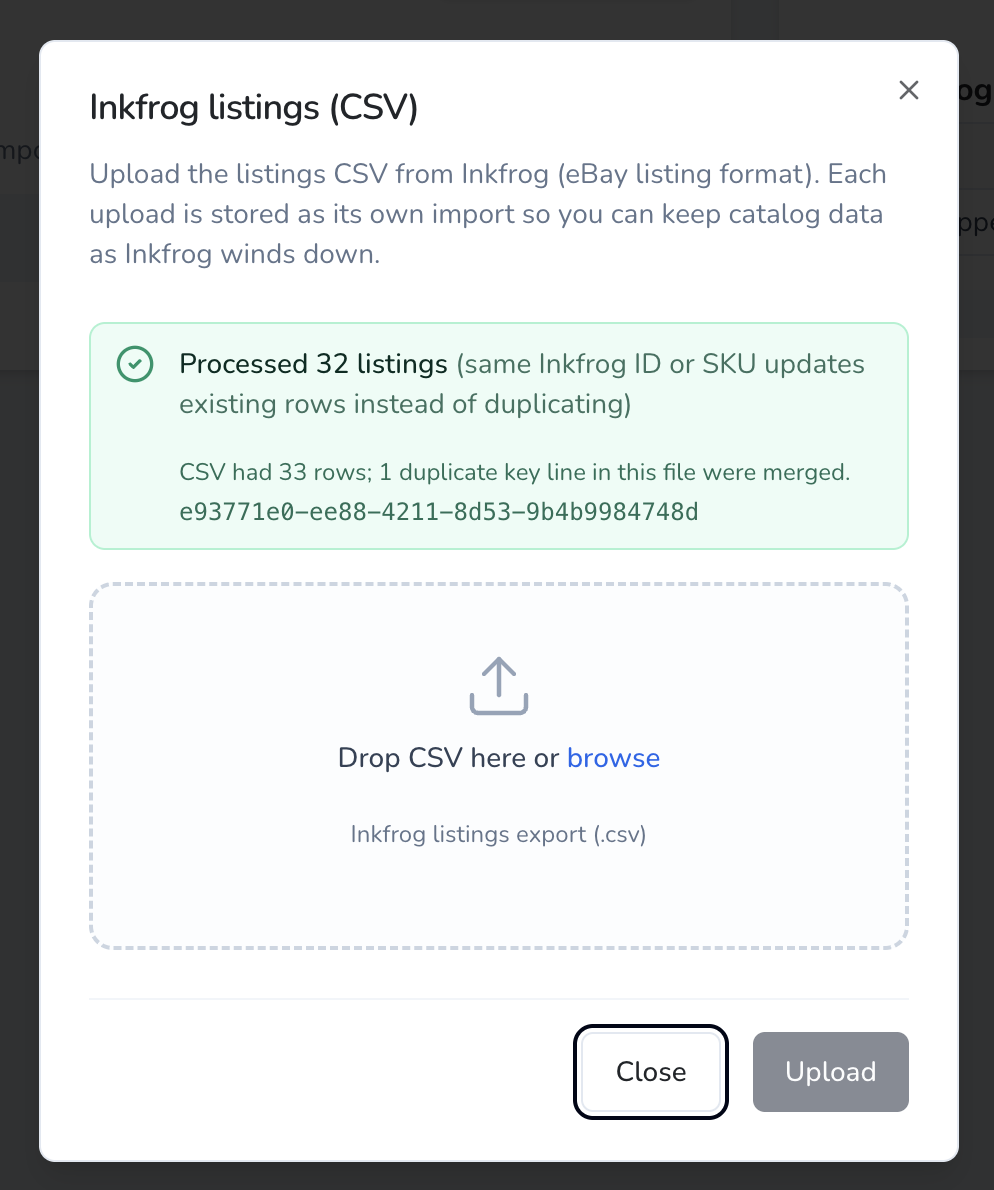
PayHelm processes every row and stores each listing as a permanent record in your account. If you re-upload an updated export, PayHelm merges by inkFrog ID or SKU — no duplicates. The confirmation screen shows exactly how many listings were imported and how many duplicates were merged.
What gets imported from your inkFrog CSV
| Field | What it contains |
|---|---|
| Listing title | Full eBay title, ready for AI optimization |
| SKU / Custom label | Your internal product identifier |
| Item condition | New, Used, Refurbished, etc. |
| Category | eBay category path and ID |
| Item specifics | All key-value pairs (brand, size, color, etc.) |
| Price | Current listing price |
| Quantity | Available stock |
| Description | Full HTML description |
| Image URLs | All listing images |
| Shipping template | Shipping policy name |
| Return policy | Return policy name |
| Listing status | Active, Ended, Draft, etc. |
Step 3: Connect eBay — order history syncs automatically
Connecting eBay imports your full sales and order history alongside your CSV listings:
- Go to Integrations → eBay in PayHelm
- Click Connect eBay and authorize the connection
- PayHelm immediately starts pulling in your full order history, sales data, and profit metrics
- Historical data syncs in the background — typically complete within a few hours
This is automatic. You do not need to export anything from eBay manually.
Step 4: Use PayHelm's AI Agent to manage your eBay listings
Once your inkFrog listings are in PayHelm, the AI Agent can optimize, update, and relist them on eBay — no manual work required.
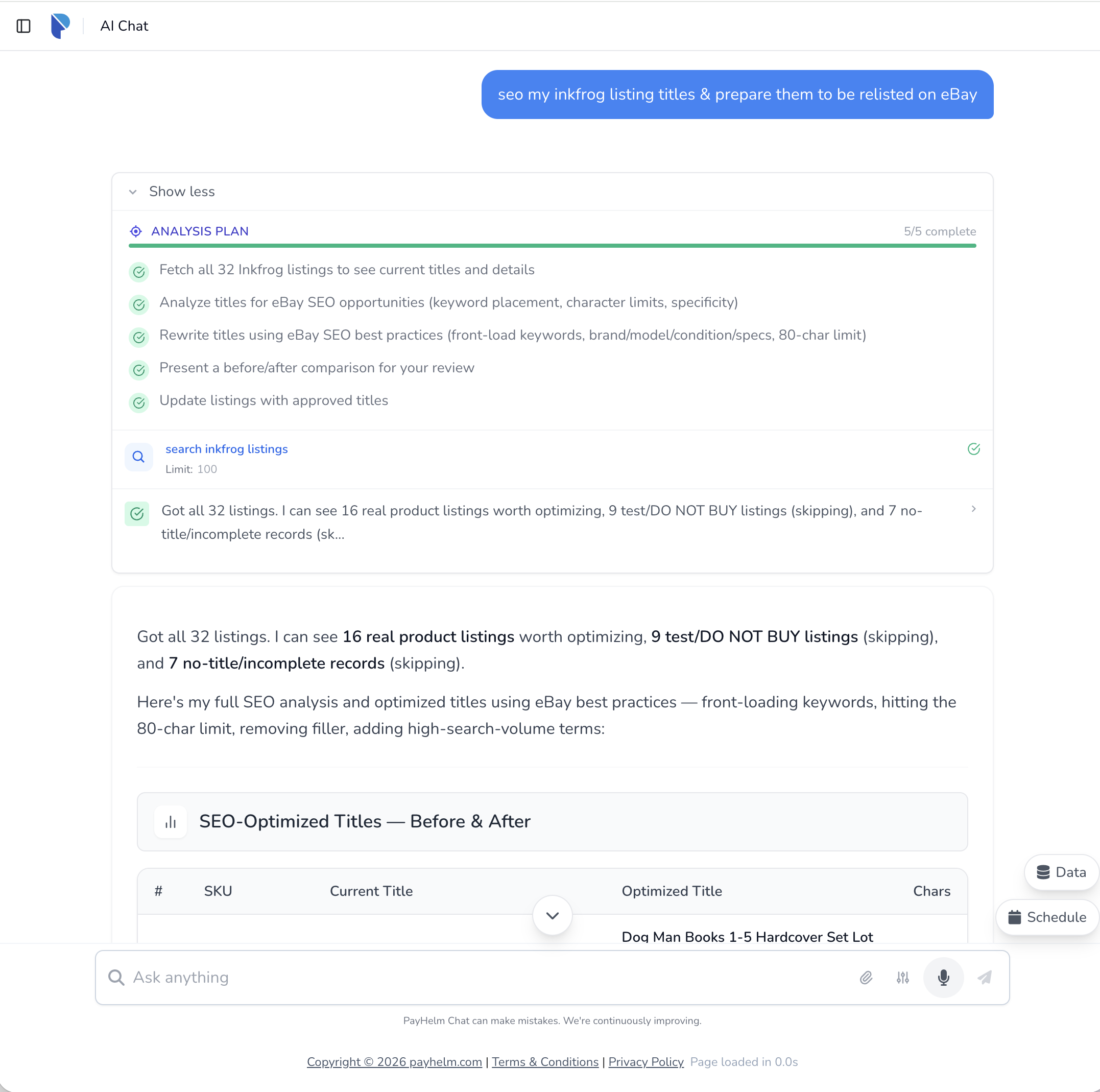
In the example above, a seller typed: "seo my inkfrog listing titles & prepare them to be relisted on eBay"
The AI Agent automatically:
- Fetched all 32 inkFrog listings from the account
- Analyzed each title for eBay SEO opportunities — keyword placement, character limits, specificity
- Rewrote every real product title using eBay best practices: front-loading keywords, targeting the 80-character limit, removing filler, adding high-search-volume terms
- Presented a before/after comparison table for review
- Applied the approved optimized titles directly to the live eBay listings
Other things you can ask the AI Agent to do
- Relist ended listings — "relist all my ended inkFrog listings on eBay"
- Fill in missing item specifics — the agent spots gaps and populates them using your product data
- Bulk price adjustments — "lower all my inkFrog book listings by 10%"
- Rewrite descriptions — for listings that need a refresh before going back live
- Create new listings — describe a product and the agent lists it on eBay with an optimized title, specifics, and description
Frequently Asked Questions
Do I need a credit card to get started?
No. inkFrog customers get 1 full year on PayHelm at no cost. Connect your eBay account and you are in — no credit card until after your free year ends.
Can I upload the CSV more than once?
Yes. If you export from inkFrog again before it closes and re-upload, PayHelm merges by inkFrog ID and SKU. Existing rows are updated rather than duplicated.
How long does the eBay data import take?
Authorization takes under 5 minutes. Full order history and listing data syncs in the background, usually within a few hours depending on your order volume.
What if I have multiple eBay stores?
PayHelm supports multiple eBay accounts under one login. Connect each store separately and view combined or per-store reports.
Will PayHelm replace all of inkFrog's features?
PayHelm covers analytics, profit reporting, AI listing management, and data archiving — going far deeper than inkFrog on the business intelligence side. Use the AI Agent for listing creation, title optimization, bulk updates, and eBay SEO. PayHelm is your permanent data home and analytics layer.
What happens to my data after the free year?
PayHelm plans start at no cost for low-volume sellers and scale by order volume. After your free year you will have a full year of profit data and optimized listings to demonstrate the value before you pay anything.
Can the AI Agent relist all my inkFrog listings at once?
Yes. Once your listings are imported, ask the agent to relist them in bulk. You can filter by status, category, price range, or any other criteria.
Is the inkFrog CSV upload a one-time thing?
You can upload as many times as you need. Once your eBay connection is active, live listing data comes directly from eBay — the CSV acts as a historical backup and reference catalog.
Related Articles
Getting Started with PayHelm
A step-by-step guide to setting up PayHelm — connect your stores, link your ad platforms, invite your team, and run your first AI-powered marketing task.
How to Backfill Historical Data
Learn when and how to backfill historical data in PayHelm, what it includes, and when you should or shouldn't use this feature.
Connecting Your Store to PayHelm
Step-by-step instructions for connecting Shopify, WooCommerce, and BigCommerce stores to PayHelm, including permissions and data sync details.
Automate with PayHelm AI
Let an AI agent handle these tasks for you — automatically, on a schedule.
Review Performance Max Search Themes and Asset Gaps
Understand what's actually driving your PMax campaigns and where the gaps are.
Detect Deliverability Risks from Inactive or Risky Segments
Protect your sender reputation before bad segments destroy your inbox placement.
Detect SEO Pages Losing Rankings, Clicks, or Revenue
Know which pages are slipping in search before the traffic decline becomes catastrophic.
From the PayHelm Blog
Insights and guides to help you grow your ecommerce business.
The AI Analytics Revolution: How Smart Ecommerce Reporting Will 10x Your Growth in 2026
The ecommerce landscape is experiencing a seismic shift. By 2026, artificial intelligence will fundamentally transform how businesses measure, understand, and optimize their performance. Discover how AI-powered analytics predict what will happen tomorrow and automatically optimize for it.
December 2023 Product Update: Elevate Your Ecommerce Strategy with Advanced Analytics and Integration
Discover December 2023's comprehensive product update featuring advanced analytics capabilities, enhanced integrations, and powerful ecommerce strategy tools.
Why Your Ecommerce Store Desperately Needs a Backup Strategy
It's not a question of IF you're going to lose ecommerce store data. It's a question of WHEN — and HOW MUCH! Learn why backup strategies are essential.