How to Integrate PayHelm with OpenAI ChatGPT
In this article
Overview
PayHelm can be integrated with OpenAI's ChatGPT to provide AI-powered insights about your ecommerce data. This guide walks you through the step-by-step process of connecting PayHelm to ChatGPT.
Prerequisites
Before you begin, make sure you have:
- An active PayHelm account with data connected
- An OpenAI account with API access
- Your OpenAI API key
- Workspace admin access in your ChatGPT organization (required to add apps)
Step 1: Navigate to PayHelm Integrations
- Log in to your PayHelm dashboard
- Click Integrations in the top navigation menu
- Search for "OpenAI" in the search box
- You will see the OpenAI integration card
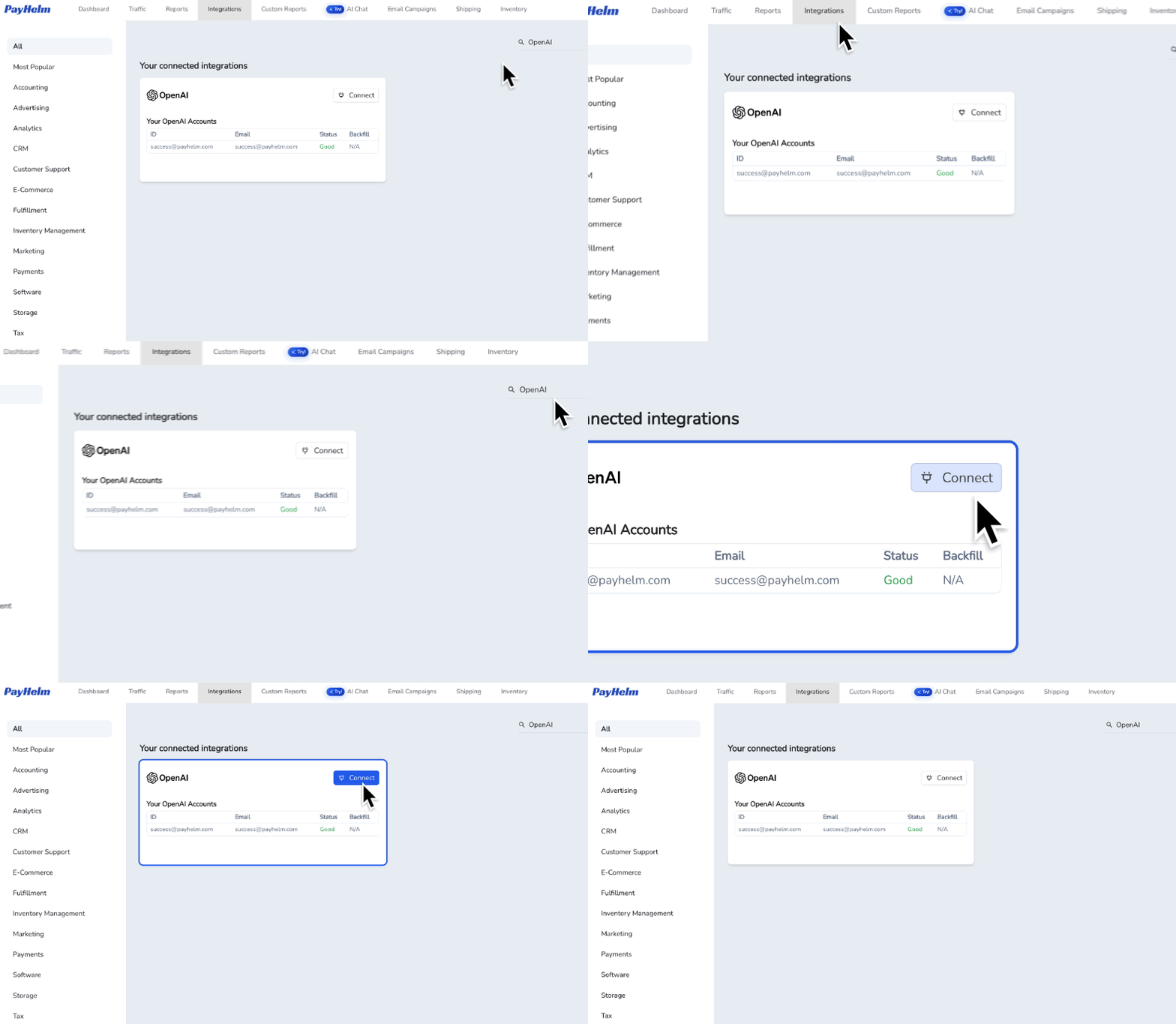
Step 2: Connect Your OpenAI Account
- Click the Connect button on the OpenAI integration card
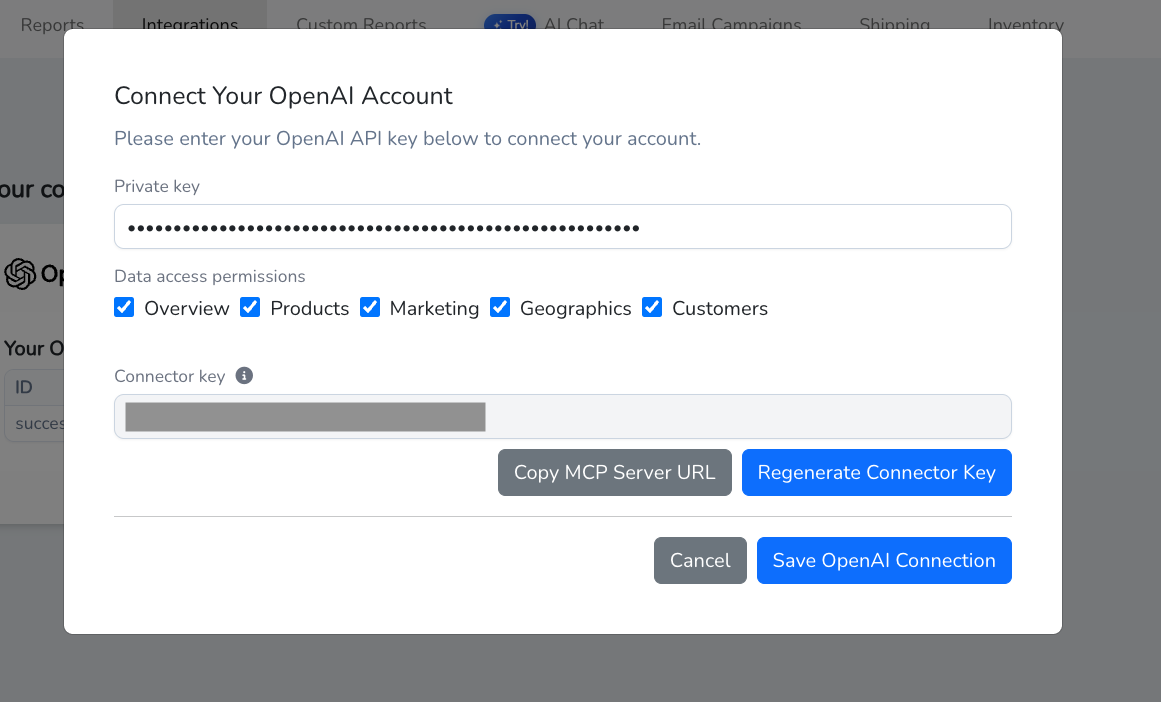
- In the "Connect Your OpenAI Account" dialog that appears:
- Enter your OpenAI API key in the Private key field
- Select your Data access permissions (Overview, Products, Marketing, Geographics, Customers)
- Your Connector key will be automatically generated
- Click Copy MCP Server URL to copy the server URL for use in ChatGPT
- Click Save OpenAI Connection to complete the setup
Step 3: Add PayHelm App to Your ChatGPT Workspace
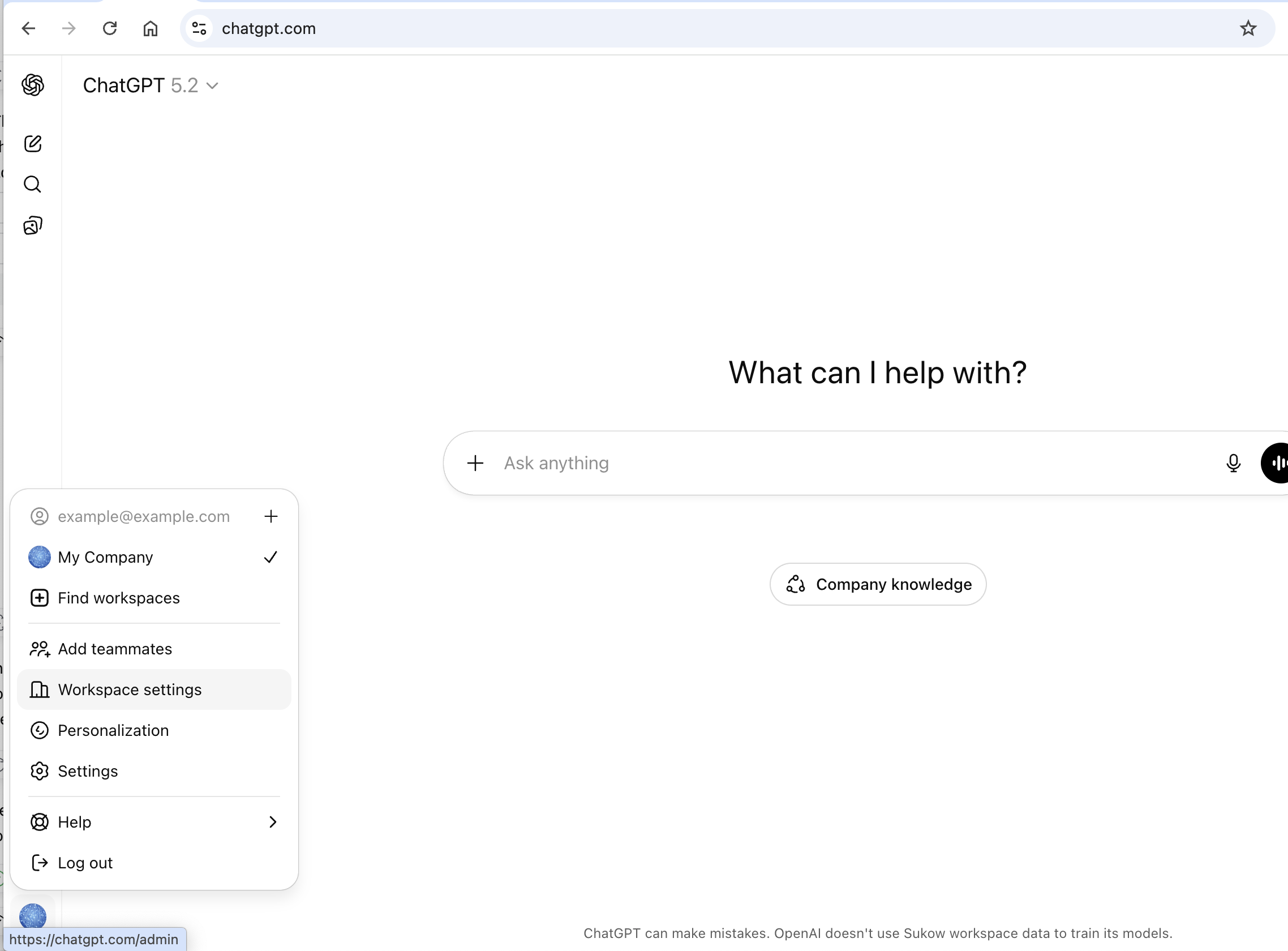
- Go to chat.openai.com
- Click on your workspace name in the bottom left corner
- Click Workspace settings
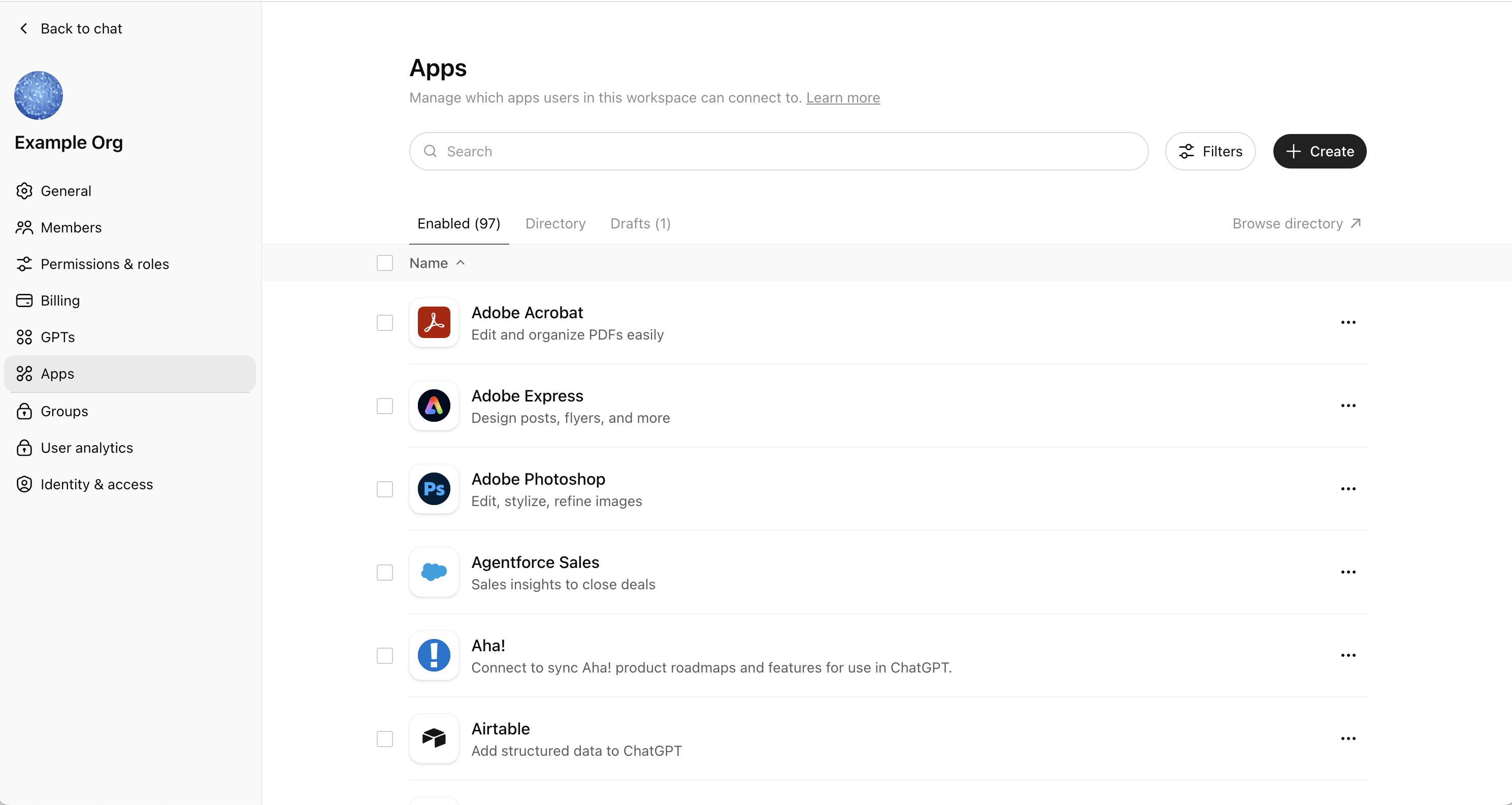
- In the left sidebar, click Apps
- Click the + Create button in the top right
- In the New App dialog:
- Enter a Name (e.g., "PayHelm")
- Add a Description (e.g., "analyze shopify & bigcommerce analytics & sales data")
- Paste the MCP Server URL you copied from PayHelm into the MCP Server URL field
- Leave Authentication set to "No Auth"
- Check the "I understand and want to continue" checkbox
- Click Create to add the app to your workspace
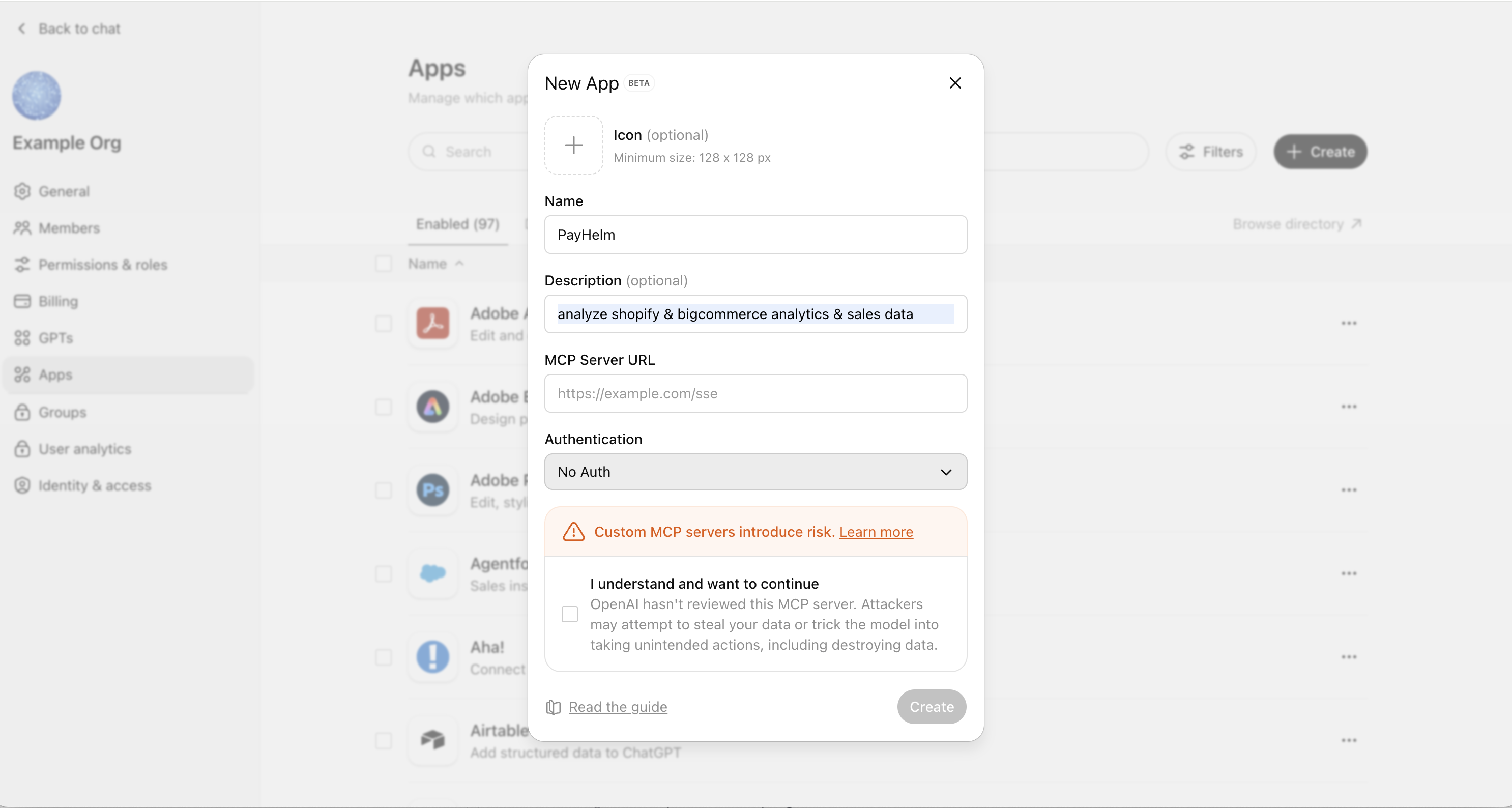
Step 4: Using PayHelm Data in ChatGPT Conversations
Once connected, you can ask natural language queries that return real-time data from your store. Here are some examples:
- What are my top selling products this month?
- Show me my Google Ads ROAS for last week
- How is my Meta Ads campaign performing?
- Compare this month vs last month sales
- Who are my top customers by lifetime value?
- What's my average order value trend?
- Show me traffic sources by revenue
- Which products have the highest margins?
- How is my TikTok ad spend performing?
Troubleshooting
Connection Issues
- Verify your OpenAI API key is correct and hasn't expired
- Check that you've selected the appropriate data access permissions
- Try regenerating your Connector key using the Regenerate Connector Key button
Data Access Problems
- Ensure your PayHelm account has data connected
- Verify the data permissions match what you need to access
- Check that your OpenAI subscription supports API access
Security Considerations
- Never share your API keys or Connector keys publicly
- Review and limit data access permissions to only what you need
- You can regenerate your Connector key at any time from the Integrations page
Need Help?
If you encounter any issues with this integration, contact PayHelm support here: https://www.payhelm.com/contact/
Last updated: January 2026
Automate with PayHelm AI
Let an AI agent handle these tasks for you — automatically, on a schedule.
Flag High-LTV Cohorts and Recommend Retention Plays
Double down on your most valuable customer cohorts before they have a reason to leave.
Recommend Bundling and Upsell Opportunities from Basket Data
Turn your order data into revenue-growing product bundles and upsell strategies.
Detect Out-of-Stock Products Still Receiving Paid Traffic
Stop paying for clicks on products you can't sell.
From the PayHelm Blog
Insights and guides to help you grow your ecommerce business.
How to Use PayHelm to Steer Your Ecommerce Success
Business intelligence leverages software and services to transform your data into actionable insights. Learn how PayHelm provides an unparalleled array of analytics that can be tailored to your business, yielding richly detailed reports.
You're Not the Easter Bunny: Going Multichannel with Your Ecommerce Business
Putting all your eggs in one basket is fine if you're the Easter Bunny. But when it comes to running your ecommerce business? Not so much. Here's why and how to go multichannel.
How to Tag Your Google Ads to Track in PayHelm
Master URL parameters and UTM tracking for Google Ads to get precise attribution data in PayHelm. Learn the recommended tags and step-by-step setup process.