Google Sheets Integration
Export PayHelm analytics data to Google Sheets for collaborative analysis, custom reporting, and team sharing.
- Exporting Google Sheets orders into spreadsheets every week just to figure out which products are actually profitable
- No single view of Google Sheets sales next to your ad spend, so you can't tell which channels are worth the money
- Customer data trapped inside Google Sheets with no visibility into repeat purchase rate or lifetime value
Key Benefits
Export analytics data directly to Google Sheets
Collaborative data analysis with team members
Custom calculations and advanced formulas
Real-time data synchronization
Professional report generation and sharing
Cost-effective alternative to expensive BI tools
Integration with Google Workspace ecosystem
Inside Your Google Sheets Dashboard
A closer look at what you get once your Google Sheets data is connected — real screens, not mockups.
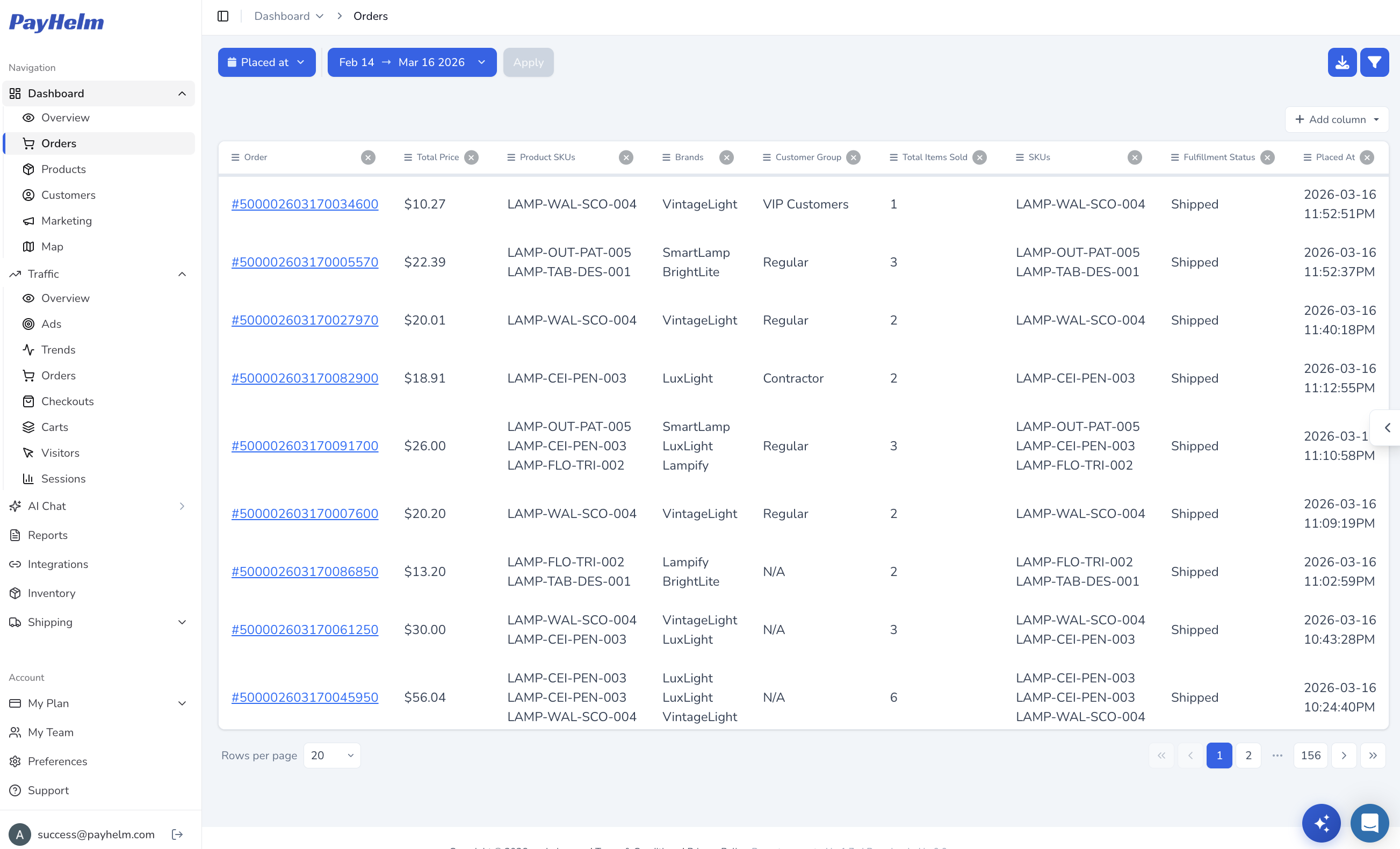
Every order, without the export
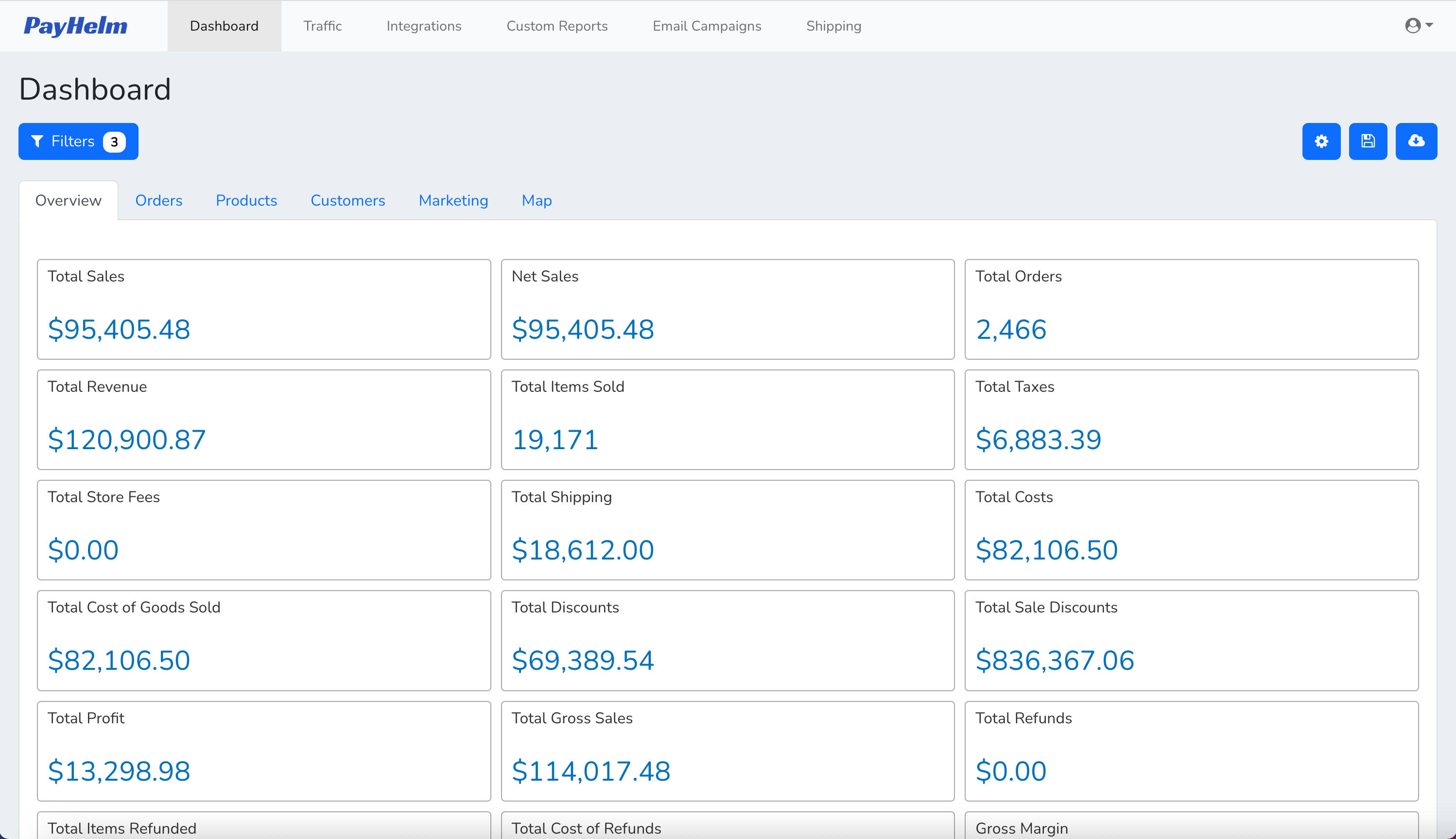
See every Google Sheets order — totals, SKUs, brands, customer group, and fulfillment status — in one filterable table instead of exporting CSVs by hand.
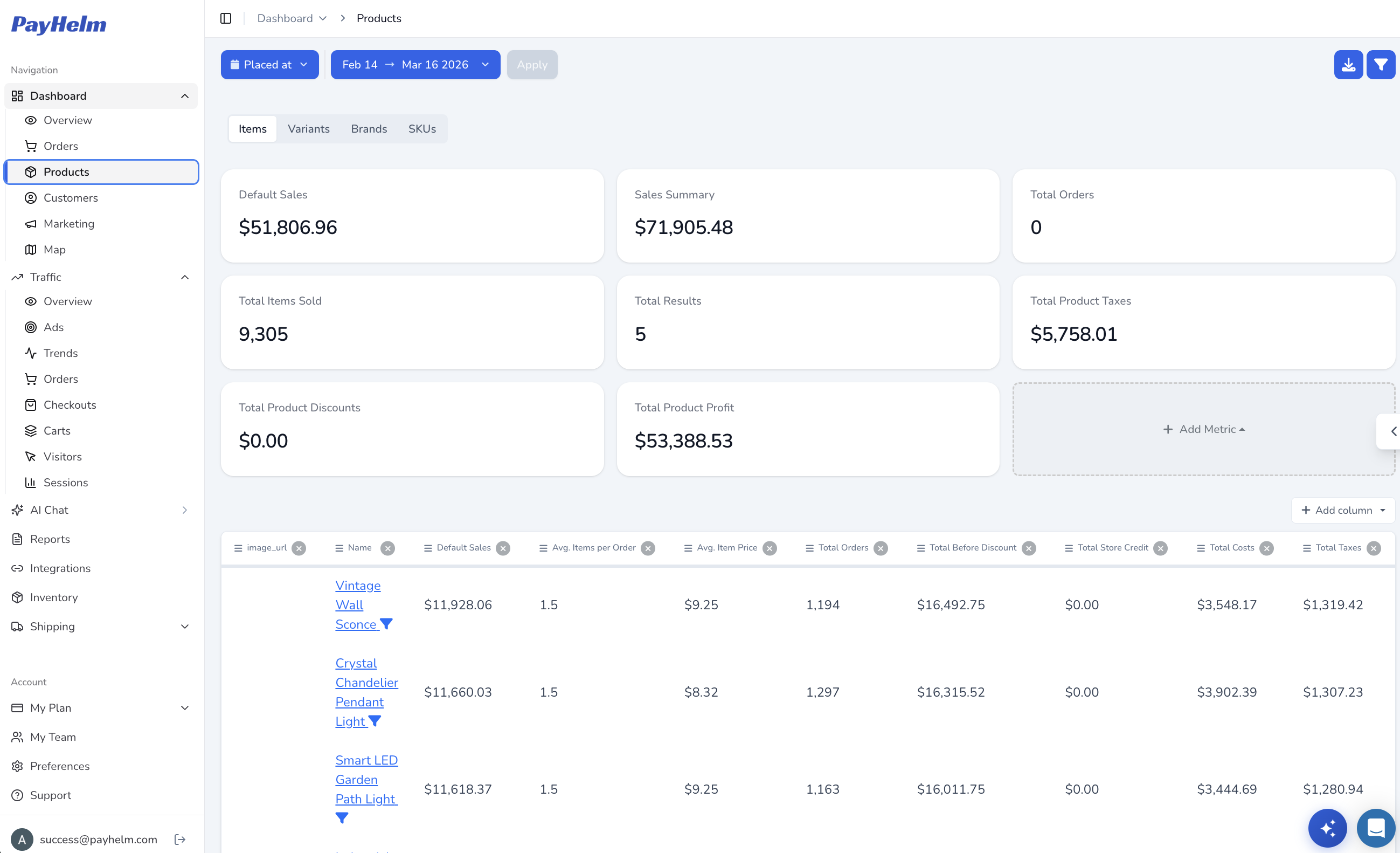
Know which products actually make money
Break down Google Sheets sales by product, variant, or SKU with real profit numbers — items sold, average item price, discounts, and total profit side by side.
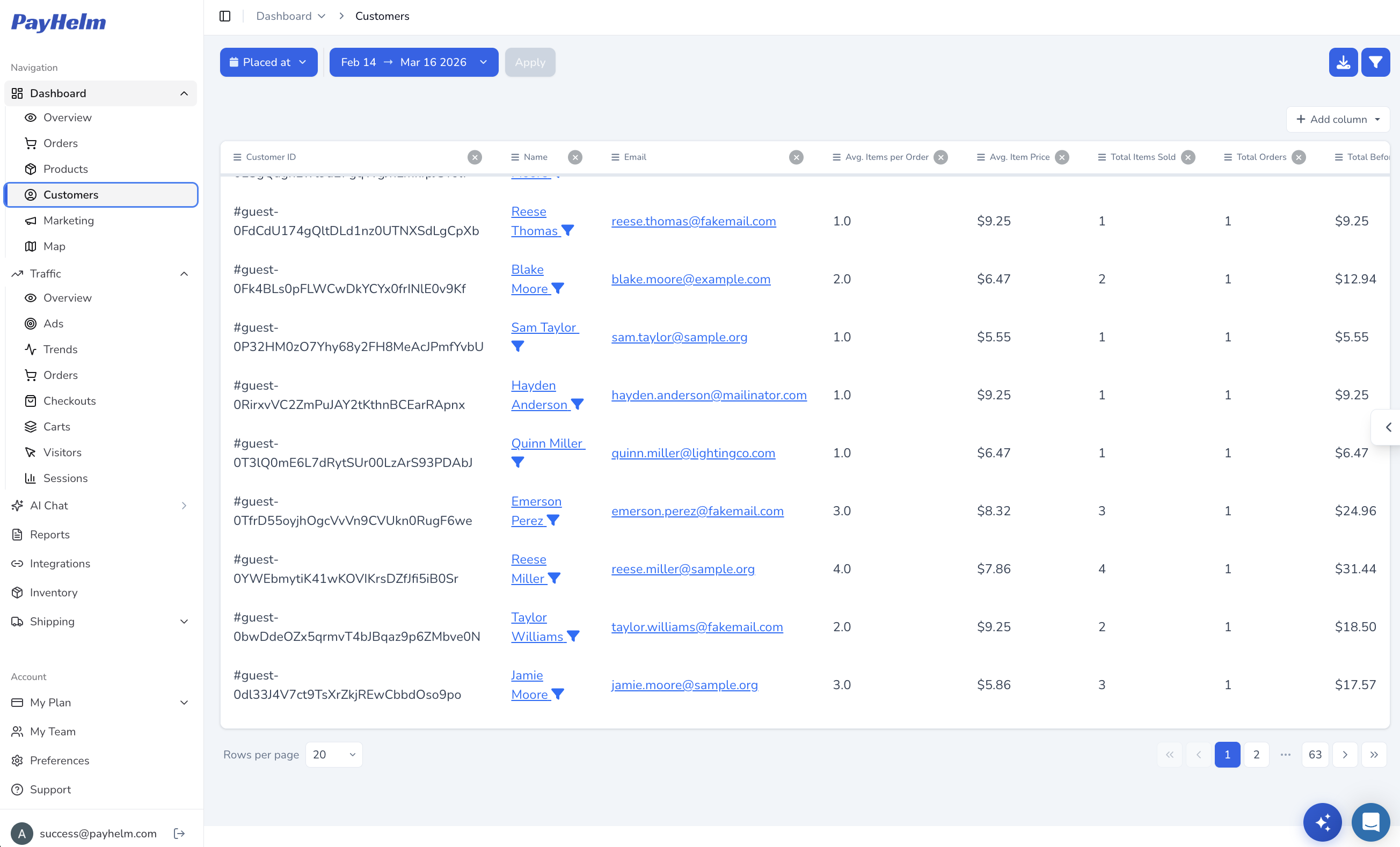
Find your best customers
Turn Google Sheets customer records into a sortable list of who's ordering, how often, and how much they spend — the data needed to spot repeat buyers and VIPs.
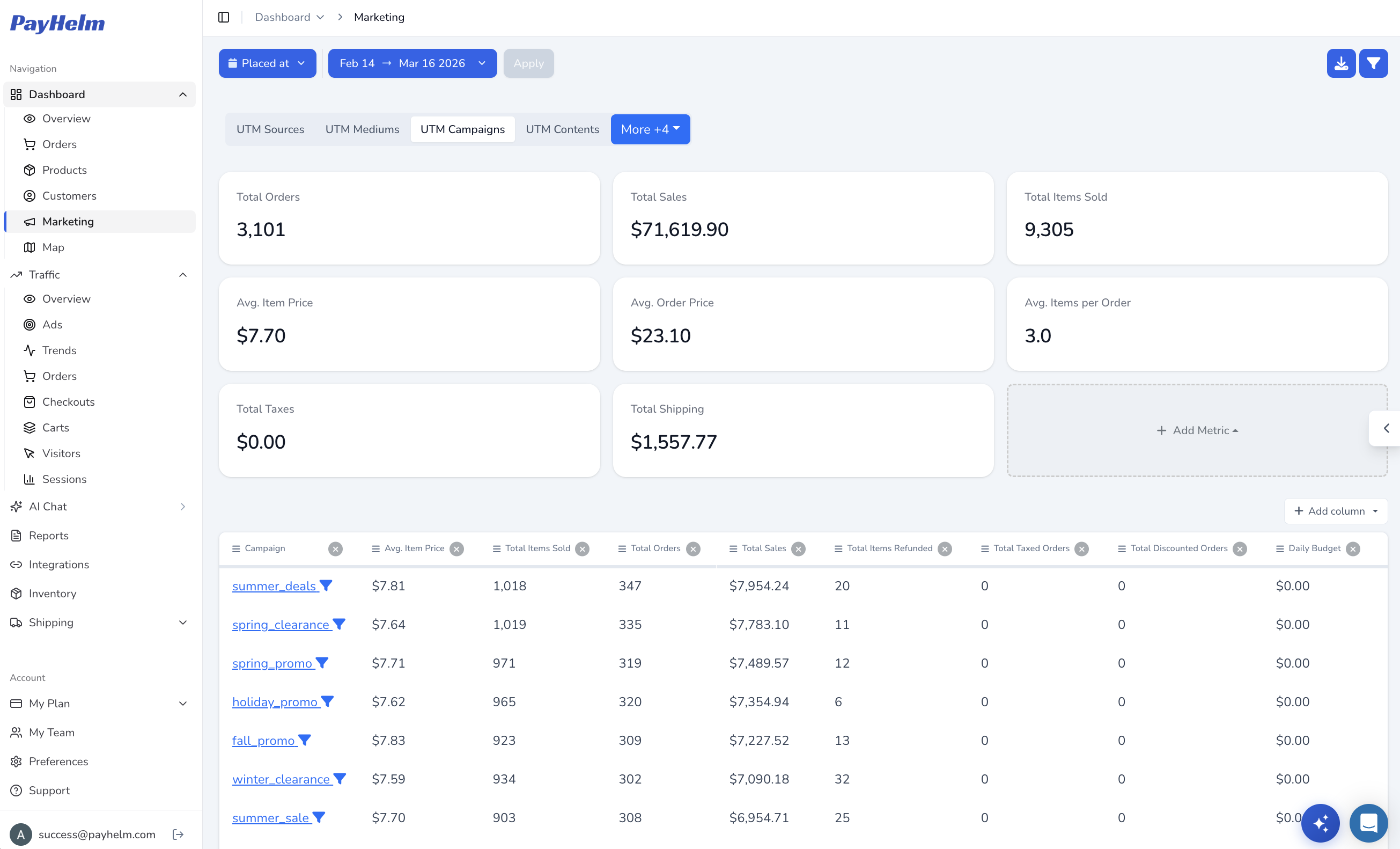
Connect campaigns to revenue
Match Google Sheets sales back to the UTM campaign, source, and medium that drove them, so you know which marketing spend is actually working.
Key Capabilities
Google Sheets API integration with secure authentication
Automated data export and synchronization
Custom report templates and formatting
Real-time data updates and refresh capabilities
Advanced formula support for custom metrics
Team collaboration and sharing permissions
Integration with Google Workspace tools
Customer Success Stories
What Our Customers Say
"PayHelm's Google Sheets integration has revolutionized our reporting. We can now collaborate on analytics data in real-time and create custom dashboards that our entire team can access and understand."
Marketing Director
SaaS Company
"The ability to export PayHelm data to Google Sheets has saved us hours of manual work. Our custom formulas and pivot tables now automatically update with fresh data every day."
E-commerce Analyst
Retail Business
For Agencies
Create custom client reports in familiar spreadsheet format
Collaborative analytics with client stakeholders
White-label reporting capabilities
Professional data presentation and visualization
Multi-client data consolidation and comparison
Automated client report generation and delivery
Other Analytics integrations you might be interested in
Google Analytics
Integrate Google Analytics with PayHelm for comprehensive website and ecommerce performance insights
Google Looker
Connect PayHelm with Google Looker Studio for advanced business intelligence, data visualization, and enterprise-grade analytics
Optimizely
Track Optimizely A/B testing and experimentation data with comprehensive conversion optimization analytics
Crazy Egg
Analyze Crazy Egg heatmap and user behavior data with comprehensive website optimization insights